Nick runs: the guide
Quick start → Two minutes, and you know how to follow him on race day. The rest of this page is the long version.
Nick runs is a web page at run.nickytalky.com that shows where Nick Yeager is on a marathon course, his pace and heart rate, when he will pass each cheer spot, and lets the people following him send cheers that land on his Garmin watch. This guide covers the page as friends and family used it for the TCS New York City Marathon on Sunday 2026-11-01 (sealed and read-only at /nycm2026/ now) and a short version for friends standing on the course. Nothing here needs an account or an app. The two-minute version is the quick start at run.nickytalky.com/guide/start/. Between races the same page follows his training runs at /run/, and /runs lists every race and run it has kept.
Who this is for
| You are | Read |
|---|---|
| Following from your phone, wherever you are | Part 1: Following Nick |
| Standing on the course on race day | Part 2: Friends on the course, then Part 1 for details |
| Curious about one thing | FAQ |
Part 1: Following Nick
Opening the page
The link is https://run.nickytalky.com. The root sends you to the current race; NYC 2026 lives at https://run.nickytalky.com/nycm2026/ for good, his runs between races at https://run.nickytalky.com/run/, and https://nick-runs-nyc.fly.dev is the same site under its hosting name.
It is a web page, not an app: nothing to install, no account. If you want it one tap away, Share → Add to Home Screen on an iPhone (Add to Home screen in Chrome on Android) puts an icon on your phone; that is optional. An iPhone in Safari gets the hint once, a minute into a visit ("Add this page to your Home Screen … for the quickest way back on race day", "Got it" to dismiss). Light and dark follow your phone's setting.
Under the title sit the page's links: "What is this?" reopens the splash, "What he's wearing" opens the gear page, "Guide" is this guide, "All runs" lists every race and run the page has kept, and "Share" (on a phone that can share, or copy a link) sends the page with a line about where he is right now ("Nick is at mile 8.0. Follow him live and send a cheer.").
The page refreshes itself about every 10 seconds while open (the footer says "Page updates every 10 s"); every 3 seconds once he is within half a mile of your own pin ("· he is close to you"), and once a minute on a sealed race ("Final record · loaded 2:42 PM"). When Nick ships a new version, an open page reloads itself once, softly: the next time the tab is hidden, two seconds after a takeover, or after fifteen minutes, never while you are typing in a form.
Before the race
Until three hours before Nick's wave, every visit lands on a full-screen splash: the days to go, a live countdown to the wave ("Wave 2 (corral A) starts around 9:45 AM"), the goal (3:59:00, "under four hours for the first time"), last year's time, the bib, wave and corral, the route ("Staten Island → Brooklyn → Queens → Manhattan → the Bronx → Central Park") and "What this page does". On race morning the title reads "Race day" and the button "Get ready".
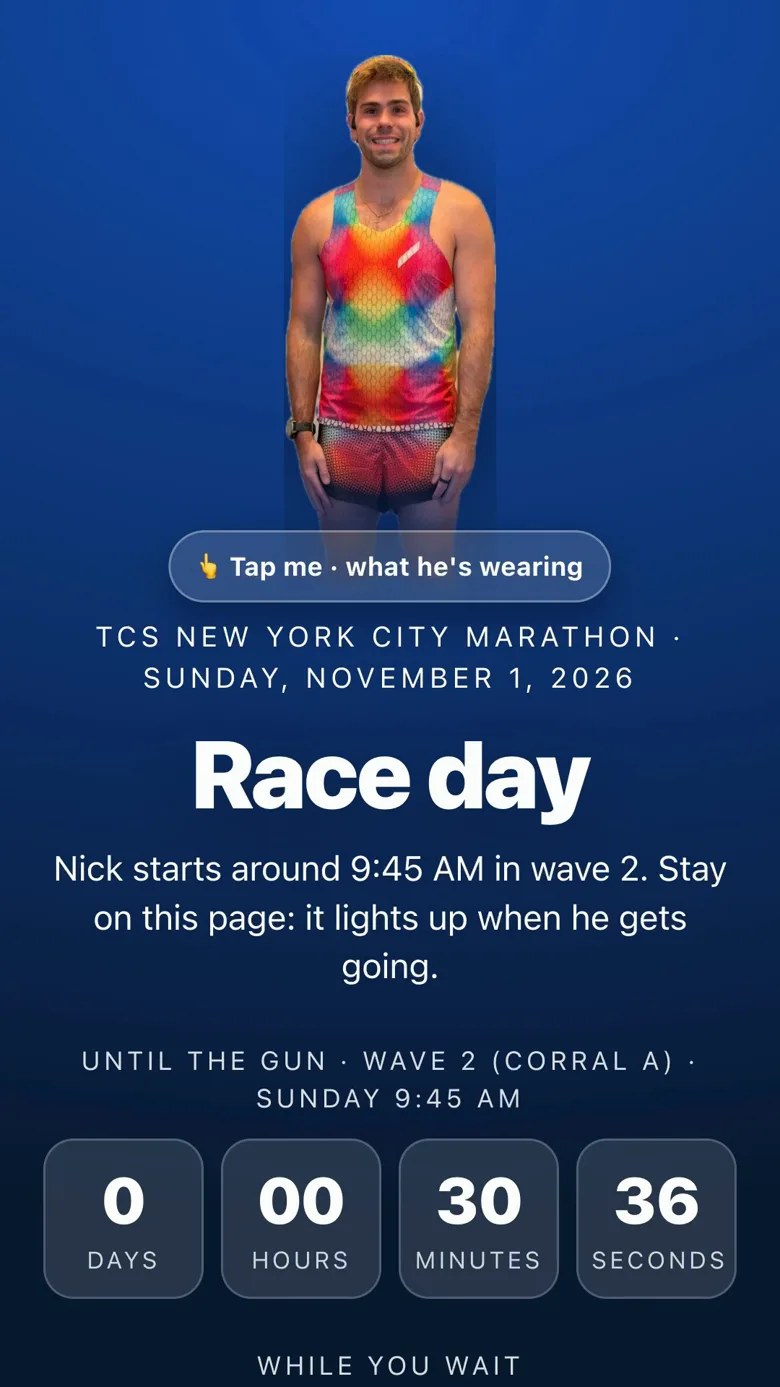
Worth a tap on the splash:
- Nick himself. The floating cutout in the rainbow kit ("👆 Tap me · what he's wearing") opens the gear page.
- "While you wait": links to the gear and merch pages ("More from Nick" once the race is on).
- The simulation, linked at the bottom: a hosted copy running a made-up race in fast-forward, dead zones and takeovers included.
- "Explore the page" closes the splash; "What is this?" under the title reopens it. A reload within ten minutes stays on the page; a new tab gets the splash again.
From three hours out the page itself is the landing page, with a pre-race card at the top counting down in minutes. It lights up as soon as Nick's phone or watch reports: "Nick is in the start village", then "Nick is heading to the start line" when his phone is near the line inside the last 40 minutes before the wave.
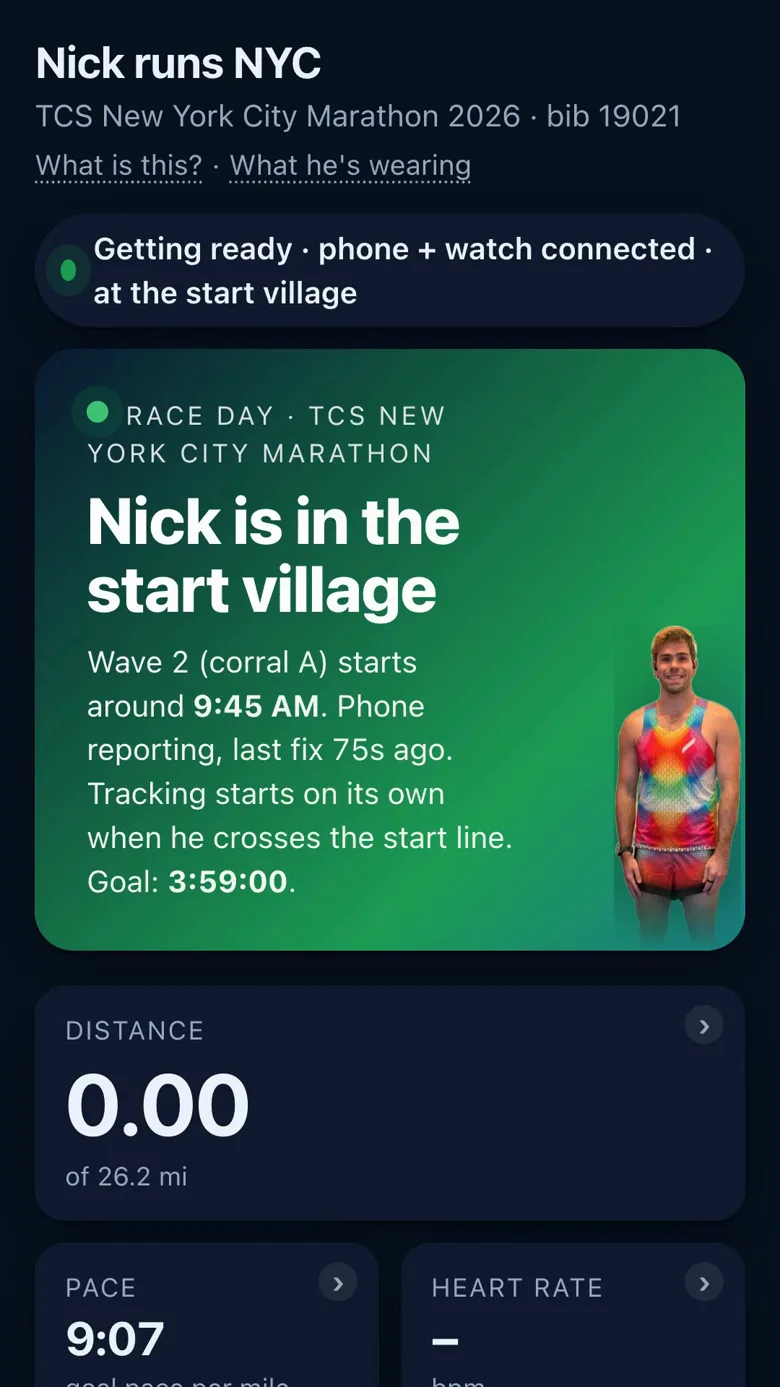
The start of a big race is a dead zone, so the page never waits on his phone. When nothing reports it falls back to the official timeline (village open 5:30 AM, corrals open 8:35, corrals close 9:20, wave 9:45): "Nick should be in the start village" or "Nick should be heading to the start line", with a banner beginning "No signal from Nick's phone yet. Estimated from the official race timing". That phrase means exactly that: nobody has reported, this is where the schedule puts him. Once the wave has gone with no data at all, the wave time starts the clock as an estimate and the dot moves from the line at goal pace ("Estimated · about mile 0.4 · from the official start time, no signal yet") until the first real signal replaces it.
Reading the page during the race
The status pill, top right. Green and "Live · LiveTrack · 12 s ago" when the watch is streaming, "Live · phone GPS · …" when his phone carries the page, "Live · timing mats · …" when only the mats report. Amber and "Signal lost · last seen 2 min ago · estimating" when every source has gone quiet and the dot is sliding on at his last pace, or "Timing mats only · last mat 4 min ago · estimating" when the mats are the only thing still flowing. Before the start: "Waiting for the start" or "Watch connected · waiting for first data"; just after it, "Started · waiting for first data". Beside the pill sits the "Don't interrupt me" switch (see Small things that help on the day).
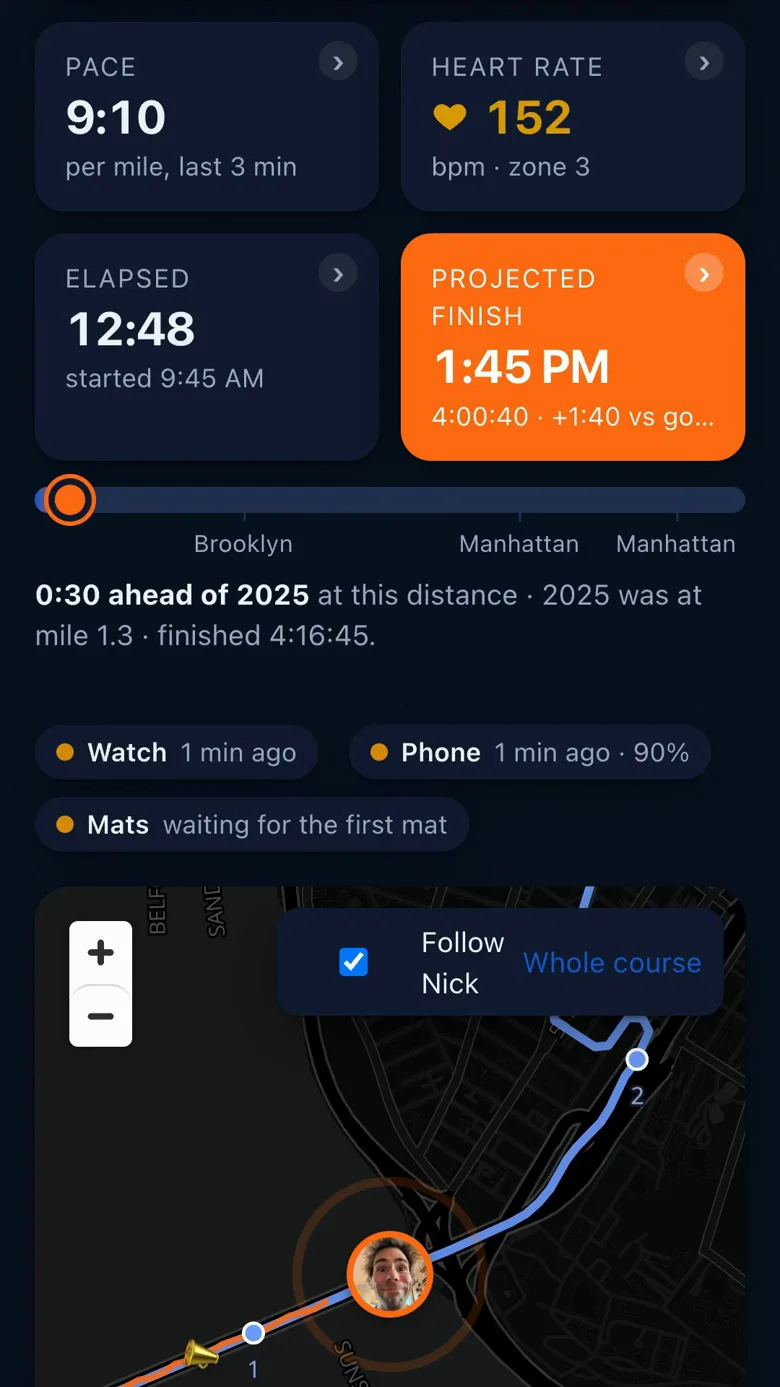
The five tiles. Each carries a chevron ("Tap for more") and opens a bottom sheet that updates live until you tap "Close". Every sheet has a choice under "Show on the tile" (what the tile itself shows, remembered on your phone), and while the race is live each tile paints a faint picture behind its number: the pace tile its last six miles as bars (amber when slower than goal) under a dashed goal line, the distance tile the course's profile with the part he has run tinted and a dot where he is, the heart-rate tile his heart rate in the zone's colour, the finish tile the projection drifting against the dashed goal, the elapsed tile the cheers as bars filling in as the day goes. A checkmark at the bottom of each sheet ("Overlay on the tile", "Course profile behind the number", …) turns the picture off, remembered on your phone.
The pictures behind the numbers. While the race is live, and on the record afterwards, each tile paints a faint picture behind its number. They are there to be glanced at, not read: the number stays the headline.
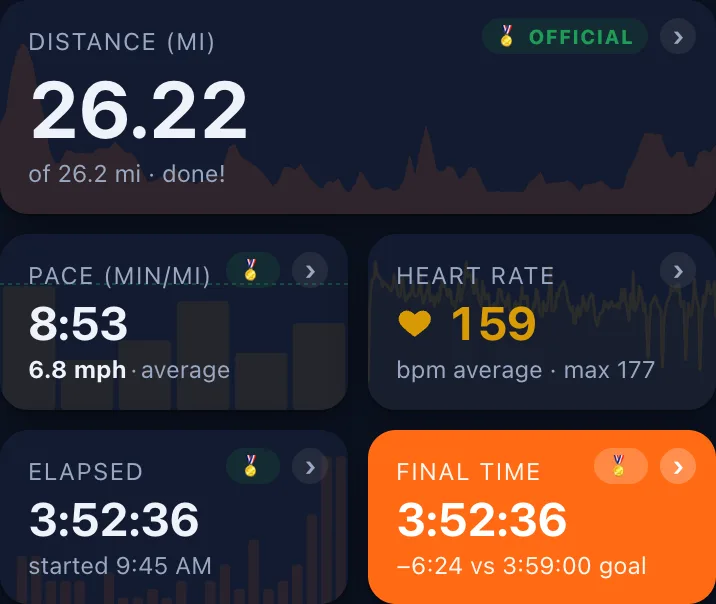
| Tile | The picture | How to read it |
|---|---|---|
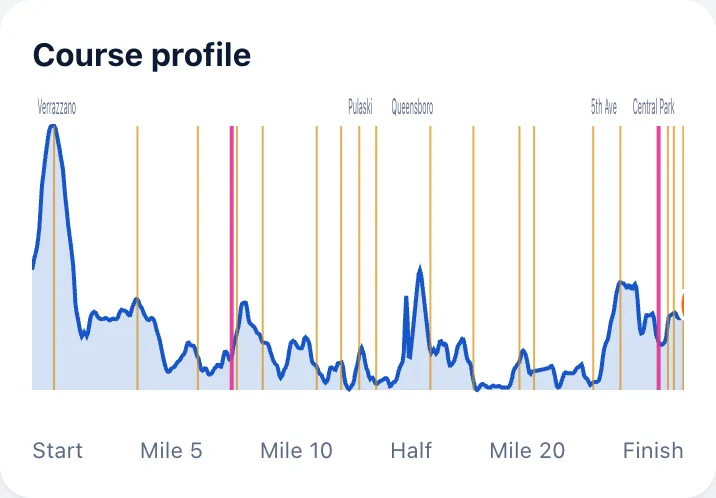
| Distance | The course's elevation profile, start to finish, with a dot where he is | The bumps are the bridges and the climbs ahead; the dot slides along as he runs. On an open run it is the run's own elevation from the watch. |
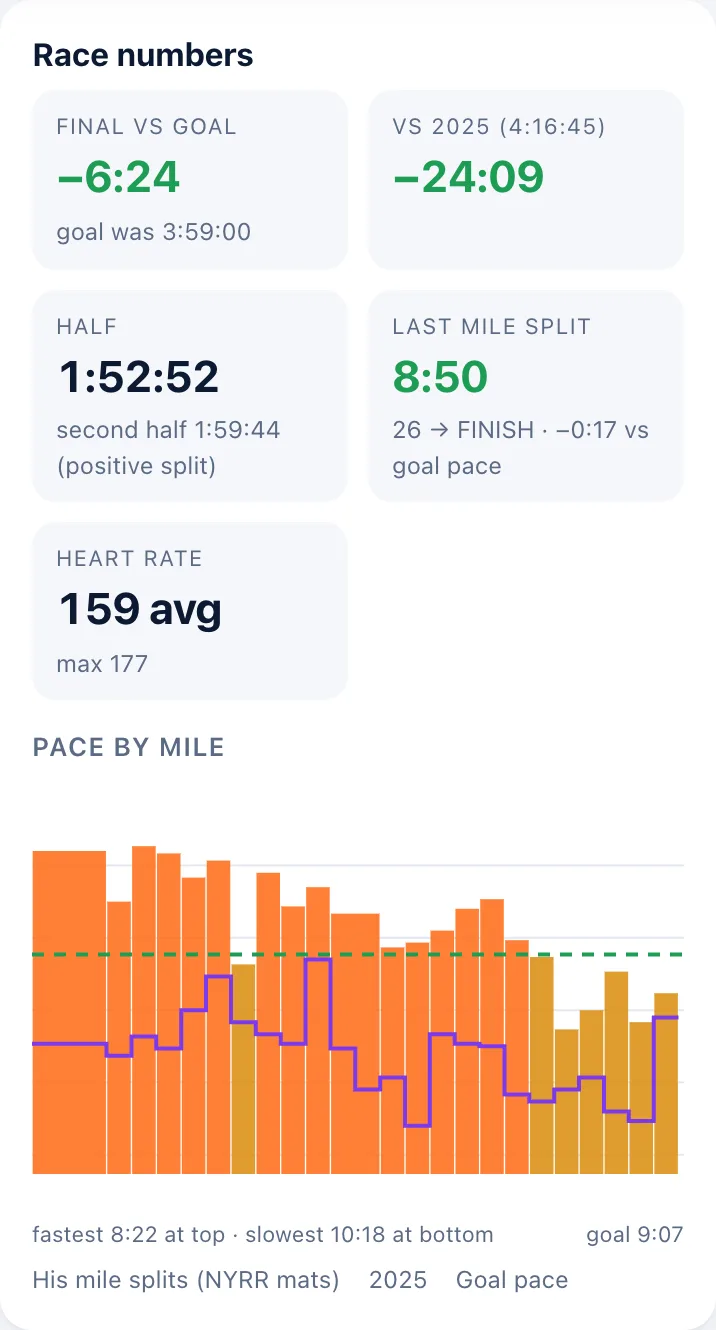
| Pace | His last six miles as bars, under a dashed line for goal pace | A bar above the line is a mile slower than goal (amber), below it faster. The newest bar is on the right. |
| Heart rate | The heart-rate trace over the last stretch | A rising line before a climb, a falling one on the descent; the colour of the number is the zone. |
| Elapsed | The cheers over the race as a small histogram | Every bar is ten minutes of cheers; a tall one is a cheer spot or a moment. |
| Finish | How the projected finish has drifted since the start | A line that bends up is a slower second half; flat means he is holding his projection. After the official result the picture goes and the medal stays. |
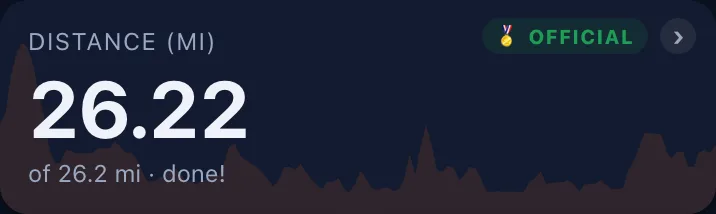
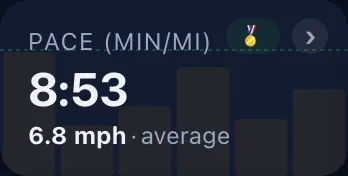
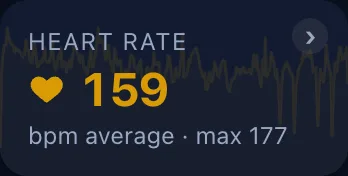
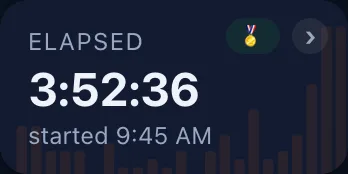
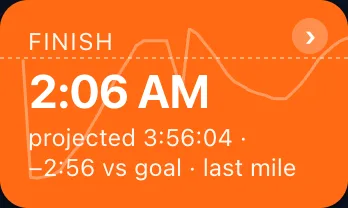
Each picture has a switch in its tile's sheet ("Overlay on the tile", "Course profile behind the number", and so on) if you would rather have the number alone; the choice is remembered on your phone.
Miles or kilometres. The page uses the race's own unit: miles in New York, kilometres in Paris, so what you read matches the signs friends stand beside and the official 5 km splits. The tiles' labels say which: "Distance (mi)", "Pace (min/mi)". To read it your way, tap the Distance or Pace tile and choose under "Distances" ("Miles" or "Kilometres", the race's own marked "· the race"); under "Pace as" the pace tile shows "Minutes per mile" or "MPH" (minutes per kilometre or "KM/H" in a kilometre race), and its label becomes "Speed (mph)". The choice is remembered on your phone for every race on this site. The marker dots on the map and the mats' names stay in the race's unit.
| Tile | On the tile | In the sheet |
|---|---|---|
| Distance | Miles (or kilometres) so far and what is left ("12.6 mi to go"); or the distance to go, with "Show on the tile" | Next marker, halfway, last mat, next cheer spot, where "2025 Nick" is, where the position comes from, the watch's calibration against the mats; the "Distances" switch |
| Pace | The pace over his last mile of watch track, rounded to 5 s and held until it really moves. Under it the other unit and the source ("8:55 /mi · last mile"; "last mat split" or "average so far" when the watch is quiet) and a trend badge comparing the last three minutes with the last mile: "→ steady", "↘ slower" in amber, "↗ faster" in green. Goal pace before the gun; after the finish the average, official once the result is in | The pace card: the number with its trend, the watch and the mats as two sources, a sparkline of the last six miles with the pace in each bar against the average and the goal, the last three official splits and the next mat. Then "Last mile", "Last 3 min", "Last mat split", "Average since the start", "Phone GPS, last 3 min", "Goal pace", "Needed from here" ("to hit the goal · doable" or "a stretch"), "Trend", the fastest and slowest mile from the mats, 2025's average. "Show on the tile": last mile, "Last 3 min" or "Average so far"; the "Distances" and "Pace as" switches |
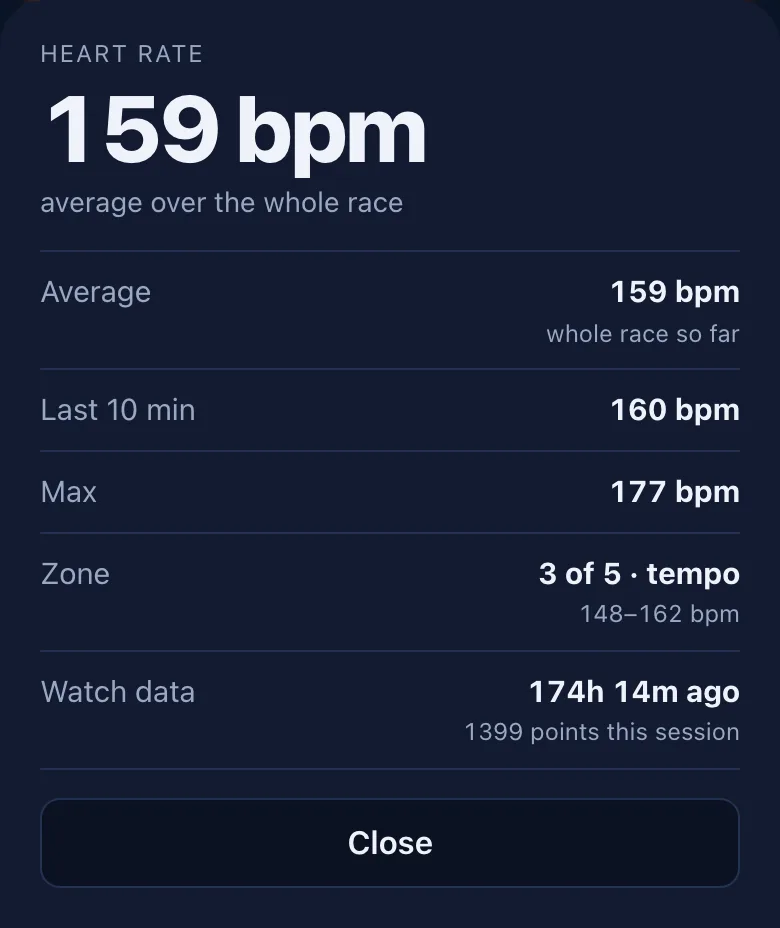
| Heart rate | "bpm · zone 3", a heart beating at his rate; the zone number instead, with "Show on the tile" | The graph over the "5 min", "15 min", "1 hour" or "Whole race", against the zone lines; average, last 10 minutes, max, the zone's range, cadence (steps per minute), the watch's points |
| Elapsed | Race time, the start's clock time; or the time of day | Halfway, goal and projected clock times, the expected start, 2025's finish |
| Finish | The projected finish as a clock time ("projected" in the note); "Final time" once the official result is in, "Unofficial time" by the watch until then. "Show on the tile": "Finish time", "Time remaining", "Vs goal" or "Projected time" | The clock time at the line, every basis, the range, vs goal and 2025; after the race "Official finish 🏅", the halves and the official pace |
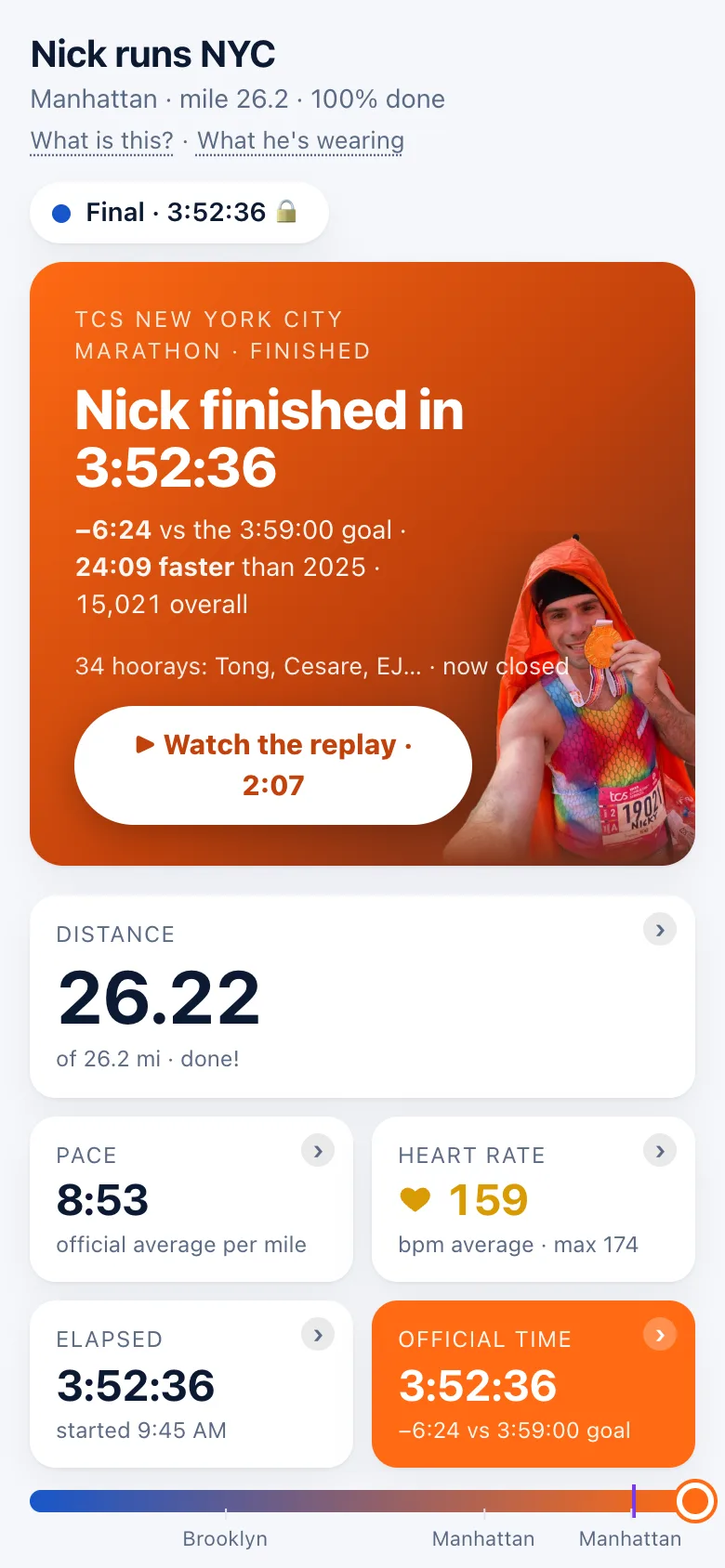
The heart-rate tile is coloured by zone, blue to red for zones 1 to 5 (Nick's limits from Strava: 118, 147, 162 and 177 bpm), and pops with a ring the moment he climbs into zone 4 or 5. After the finish it reads "bpm average · max 174".
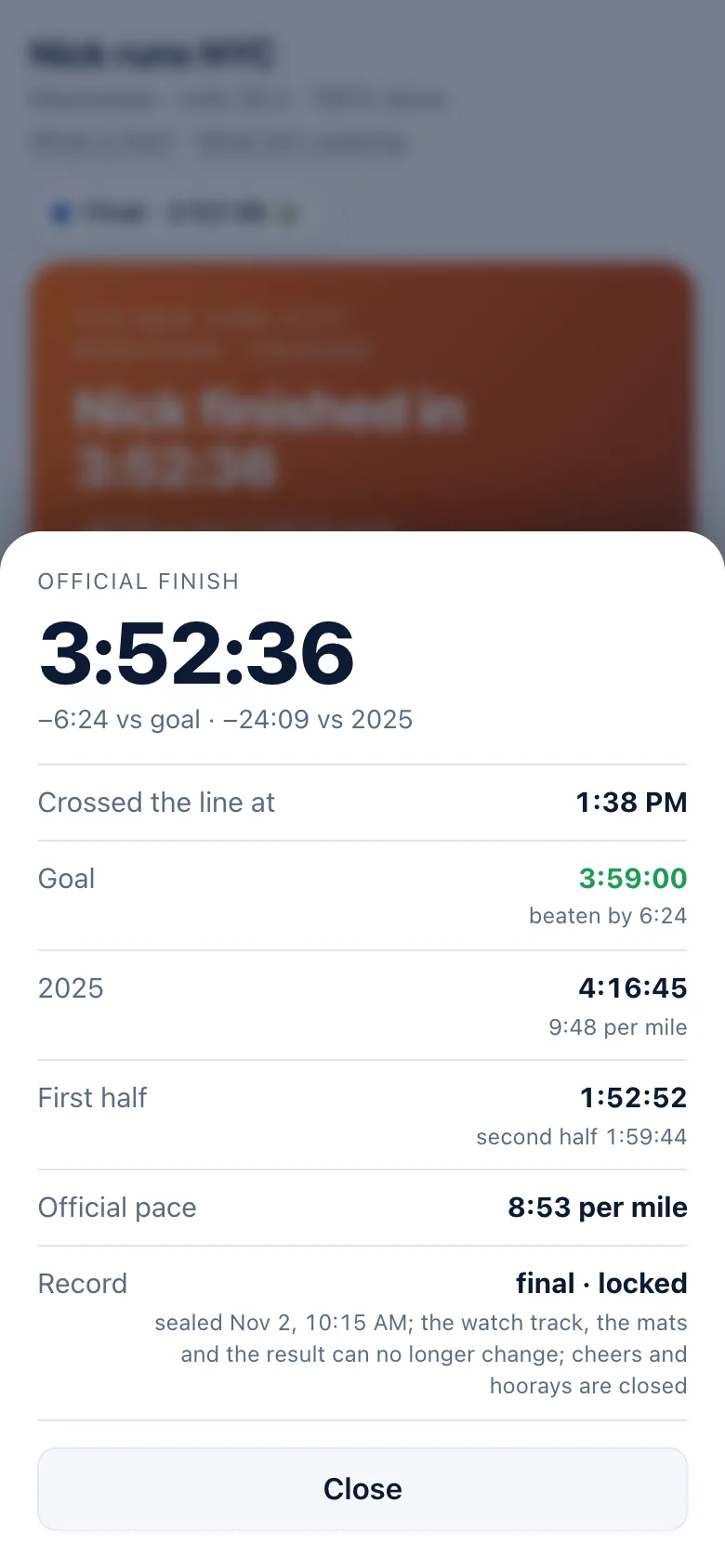
The official mark. One small green pill, "🏅 OFFICIAL", marks a number that is official timing the moment it arrives, and nothing from the watch ever gets one. It sits in the same place in every box: the top-right corner of a tile beside its chevron (the medal alone on a narrow phone tile), the small line above the finish card's title, and the label of the "Half" and "Last mat split" chips in Race numbers. The "Official splits" heading takes it with the first mat, and the mats chip in the sources row gets the bare medal ("all 33 in 🏅"). Once the organiser's result is in, the Distance, Pace, Elapsed and Final time tiles wear it too; between mats the pace and the distance are the watch's and the estimator's and carry none, by design. Until the result the finish tile says "Unofficial time" and the finish screen "unofficial, from his watch · waiting on NYRR results".
The progress bar. The orange fill is Nick, with two marks: "Where goal pace would be" and "Where he was at this point last year". The boroughs bar under it: Staten Island, Brooklyn from mile 2.2, Queens from 13.2, Manhattan from 16, The Bronx from 19.75, Manhattan again from 21.1. A sources row shows how fresh the watch, phone and mats are; after the finish it reads as closed, not stale ("Watch ended · 1:38 PM", "Phone ended", the mats "all 33 in 🏅").
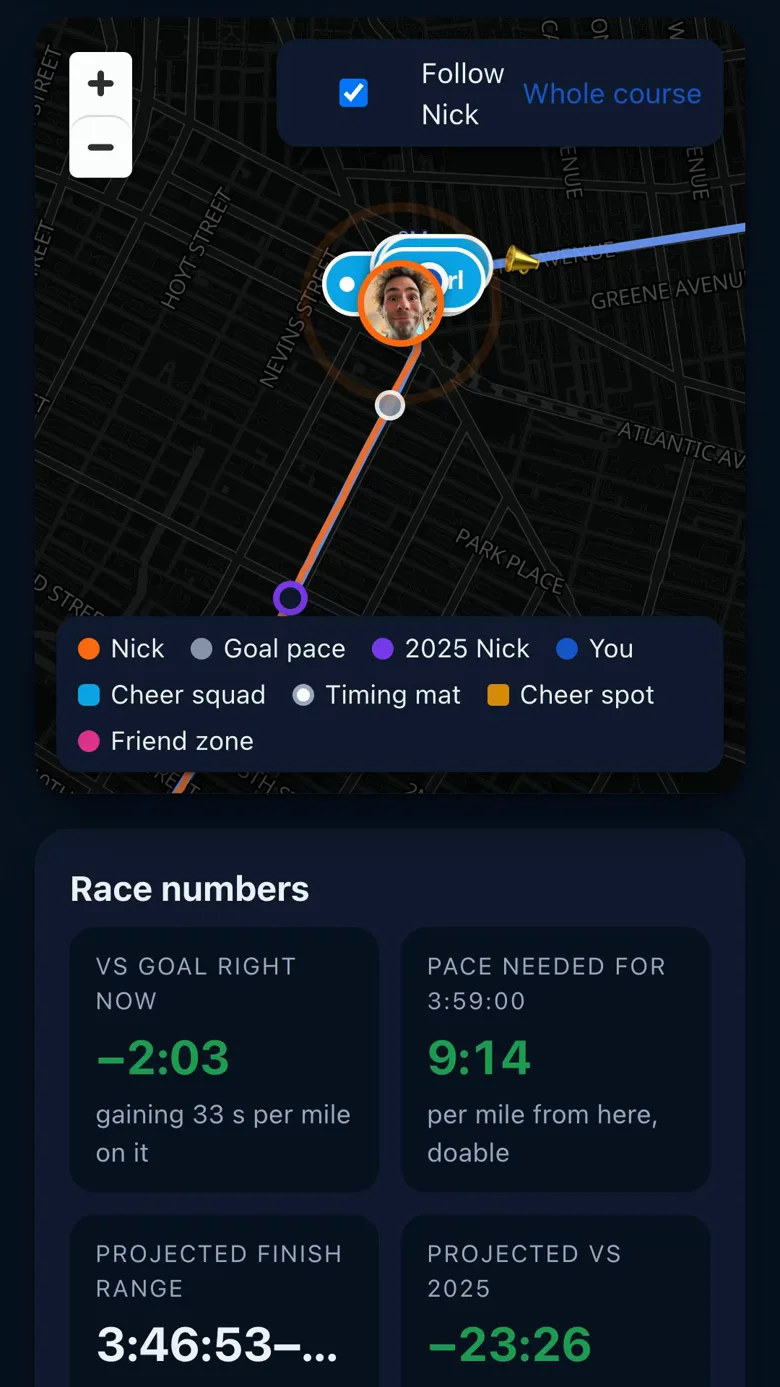
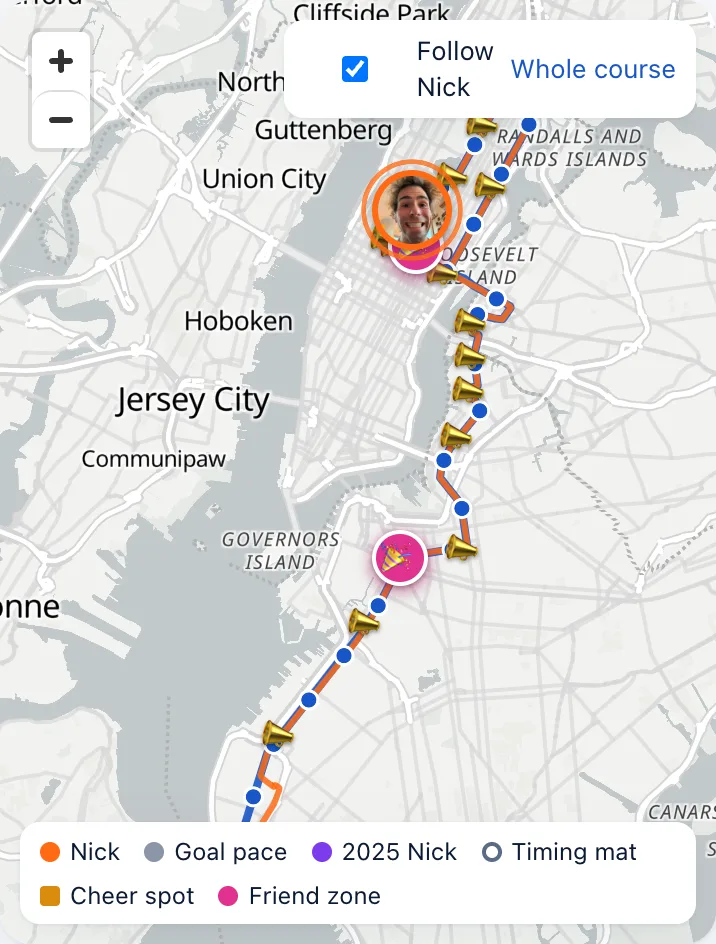
The map. The course line with the orange dot (one of Nick's face photos, picked at random per visitor; hollow while the page is estimating between fixes), the goal-pace ghost, the purple "2025 Nick" at the same elapsed time last year, the timing mats (green once reported), the cheer spots, the pink friend zones at BAM (mile 8.0) and Central Park East Drive at 63rd (mile 25.2), blue "Cheer squad" pins with names, each on the kerb of the side its friend chose with the letter L or R in the pin (dashed for a spot planned before the day, stacked upwards when two friends share a lamp post), dimming to "passed" once he is by, "You" if you shared your location, and his trail: the blue line is the course, the solid orange line is where his watch has actually been. Within half a mile of your own pin a wide, faded orange band under the dot shows the stretch of road he could be on. "Follow Nick" keeps the map on him; "Whole course" shows the lot.
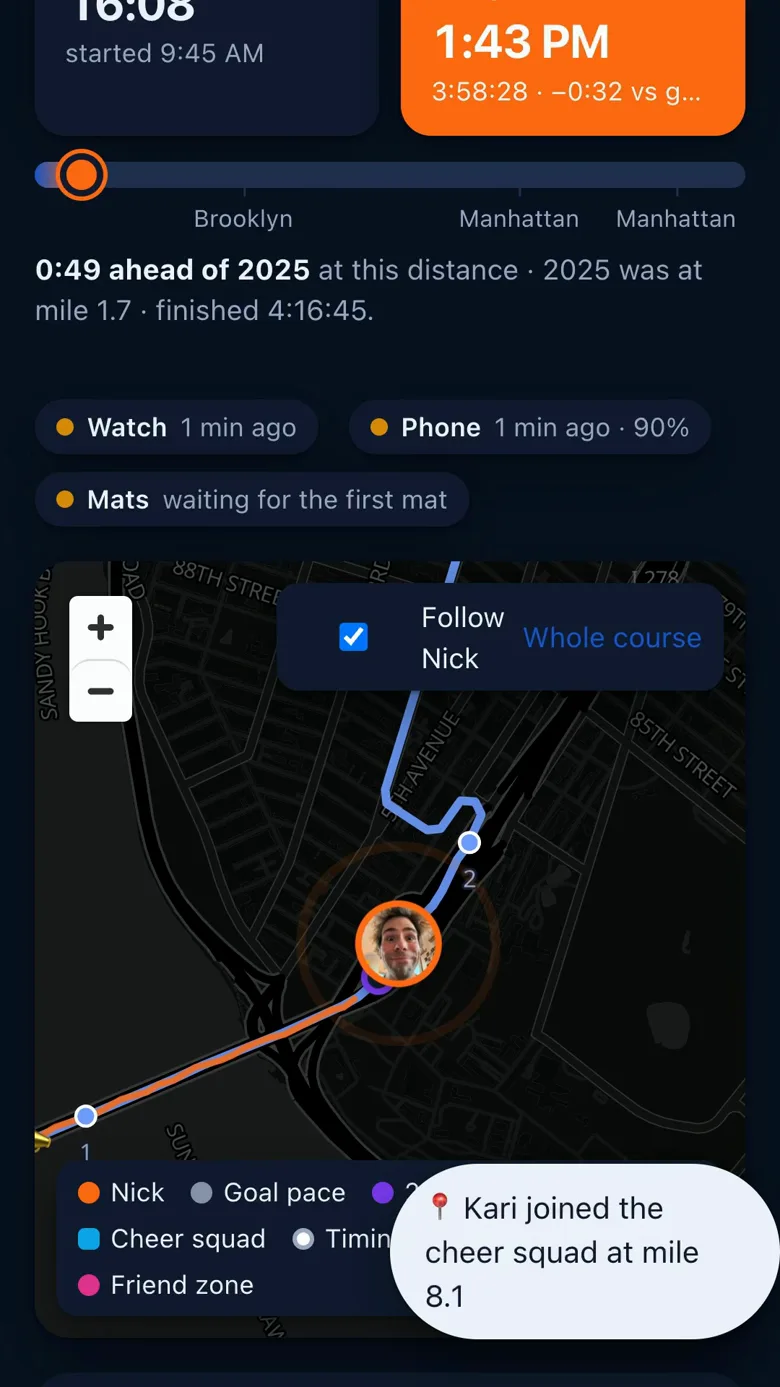
Race numbers, under the map on race day: chips for ahead or behind the goal and the trend per mile from the mats, the pace needed from here, a projected-finish range from five bases (last mile, last 3 minutes, last mat split, average so far, goal pace), "Half" with the second half projected and whether the split is negative, "Last mat split" (which two mats, and vs goal pace), "Climb" with the descent (on a race it is the course's own ground and says "from the course map, not official"), and once the watch sends them "Cadence" ("172 spm", steps per minute), "Power" (watts) and "Heart rate" (average, max, now). The Half and Last-mat-split chips carry the official mark. Under the chips, a "Pace by mile" chart of "His mile splits" against "Last time" and "Goal pace".
Course profile. The elevation with the climbs labelled (Verrazzano, Pulaski, Queensboro, 5th Ave, Central Park) and a pink line at each friend zone.
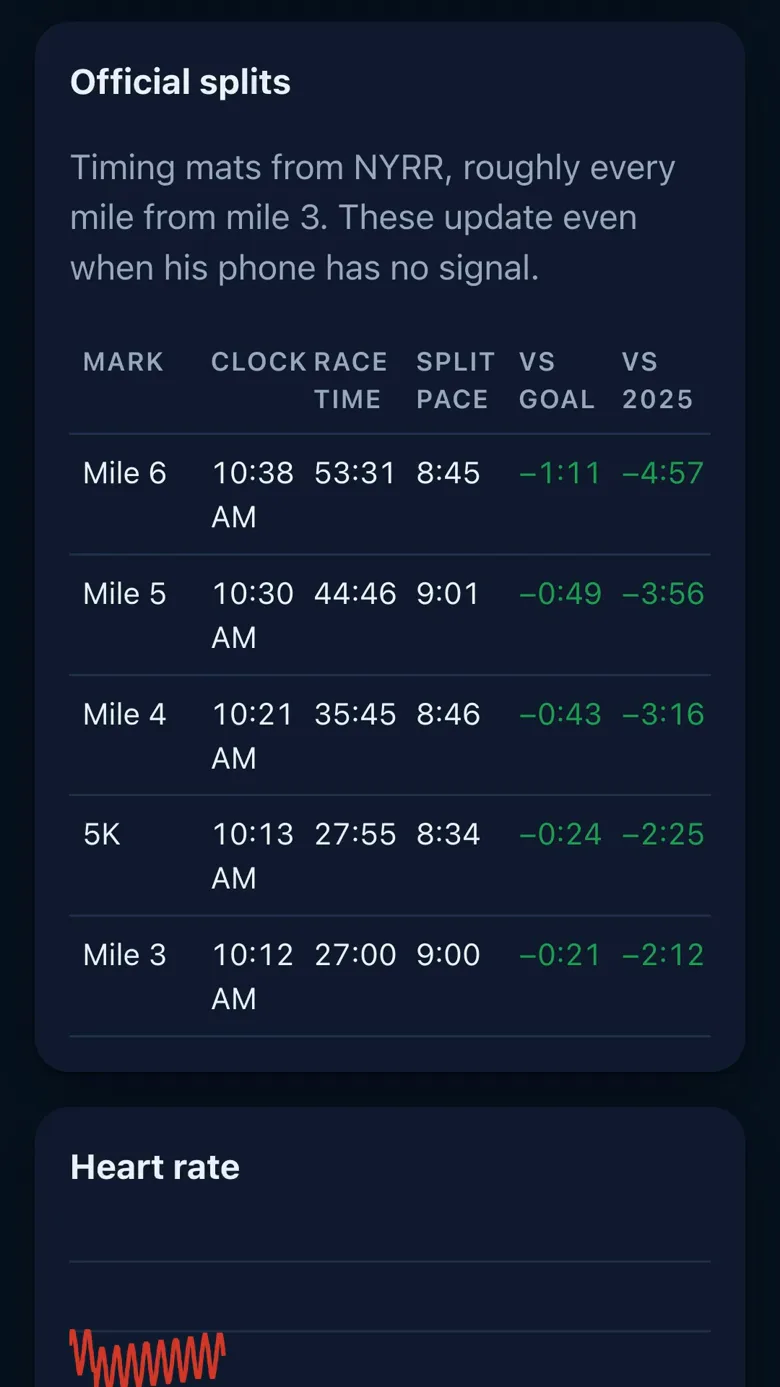
Official splits. "Timing mats from NYRR, roughly every mile from mile 3. These update even when his phone has no signal." Columns: Mark, Clock, Race time, Split pace, vs goal, vs 2025; "No mats crossed yet." until the first, and the heading takes the "🏅 OFFICIAL" pill with the first mat. The official feed can lag: in 2026 the table only filled at about 9:30 PM with the official result (see the FAQ); NYRR's own live tracker is a second feed now, so next time the mats should land within seconds.
Heart rate. A chart of his heart rate over the race, with the numbers down the left (a line every 20 bpm) and his zone limits as dashed lines.
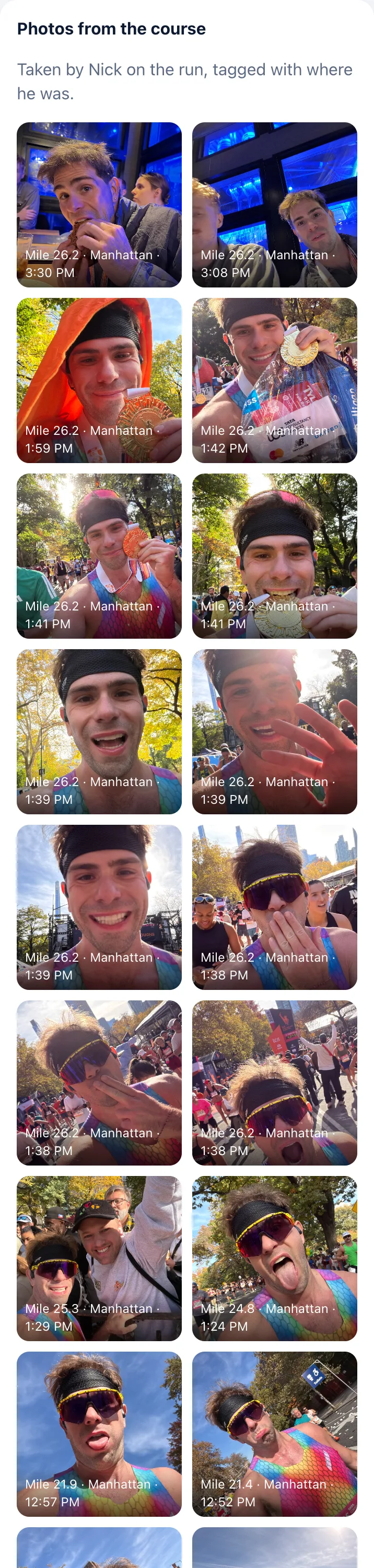
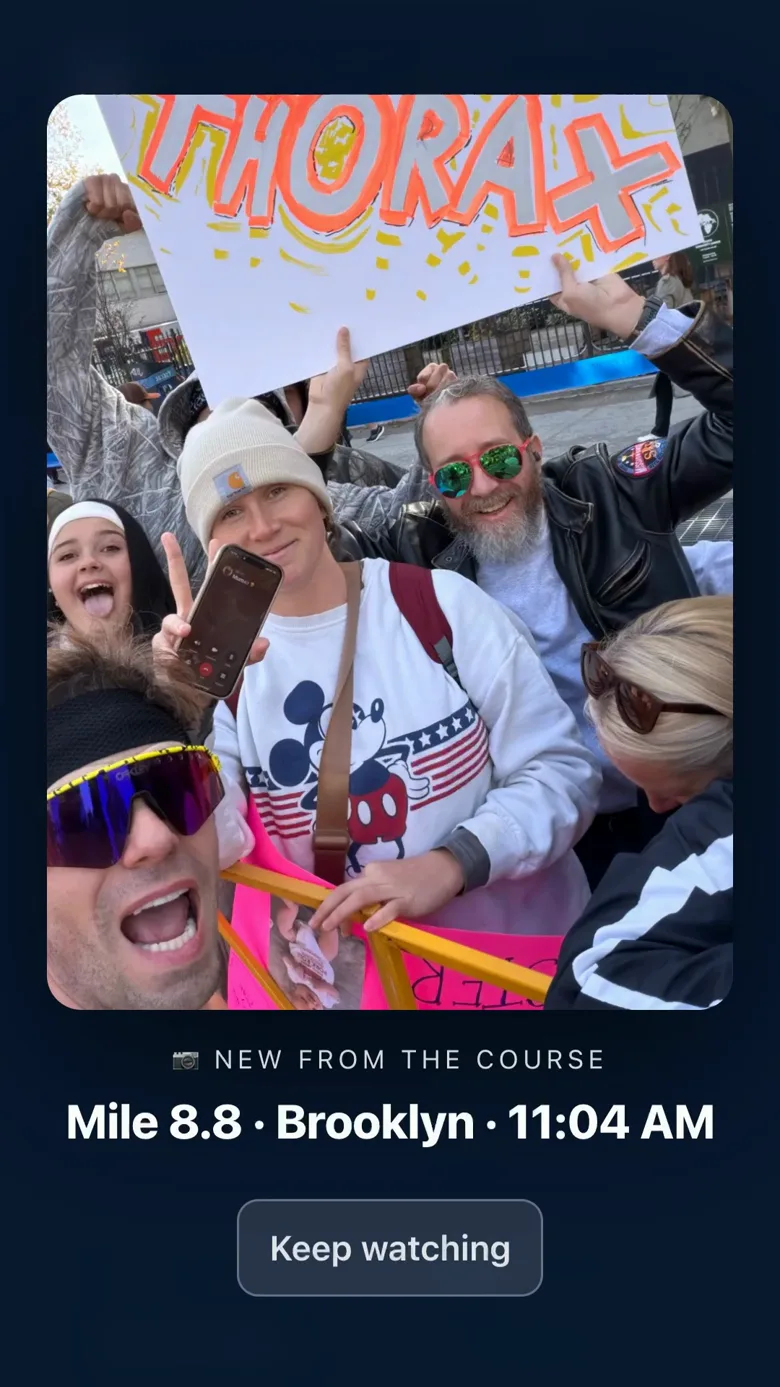
Photos from the course. "Taken by Nick on the run, tagged with where he was." A strip of thumbnails; tap one for full size. A new photo takes the screen for 8 seconds for everyone watching ("📷 New from the course", with the mile and borough; "Keep watching" closes it), at most once every five minutes: the rest arrive as a note at the bottom ("📷 3 new photos from mile 15.3 · in the strip below"). A photo Nick marks as must-see skips the pacing and the "Don't interrupt me" switch and stays twelve seconds under "📷 Nick wants you to see this". Arrive later and the newest one you missed shows once as "📷 Latest from the course" (not once the race is closed: then the photos wait in the strip). Nick posted 45 in 2026.
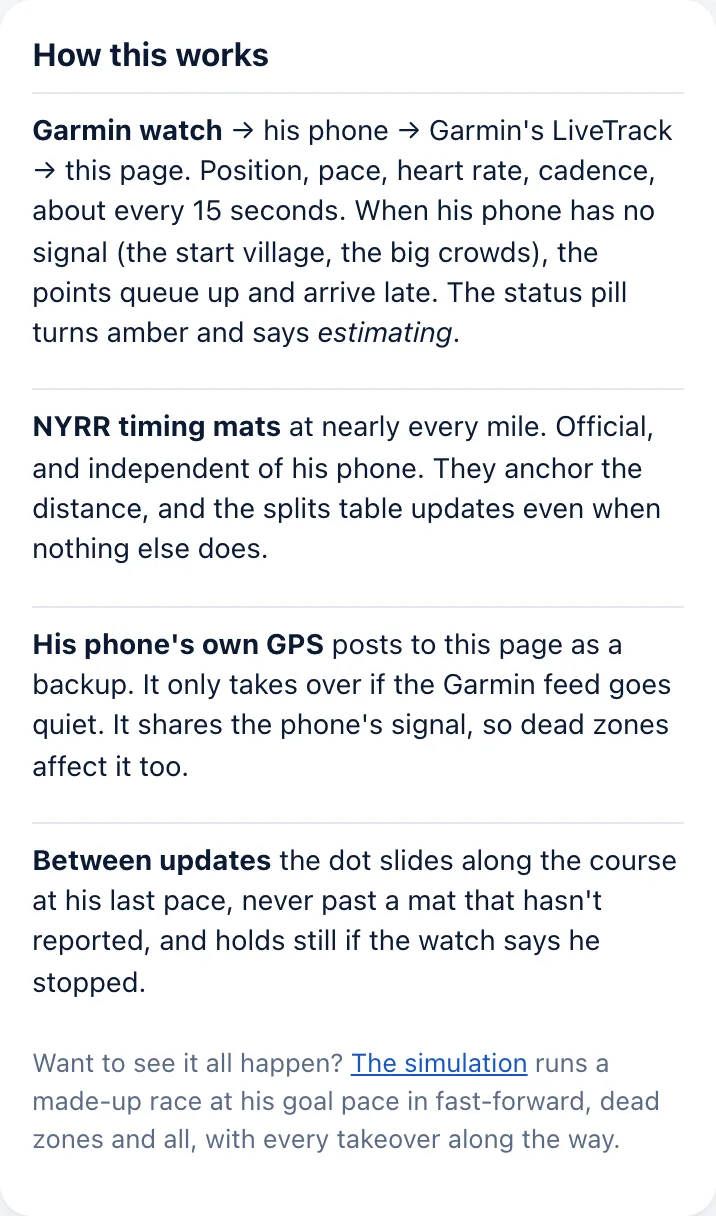
How this works, at the bottom: the watch → his phone → Garmin's LiveTrack → this page about every 15 seconds; the timing mats, independent of his phone; his phone's GPS as a backup; the dot sliding between updates "never past a mat that hasn't reported". The footer names each source and its freshness.
The big moments
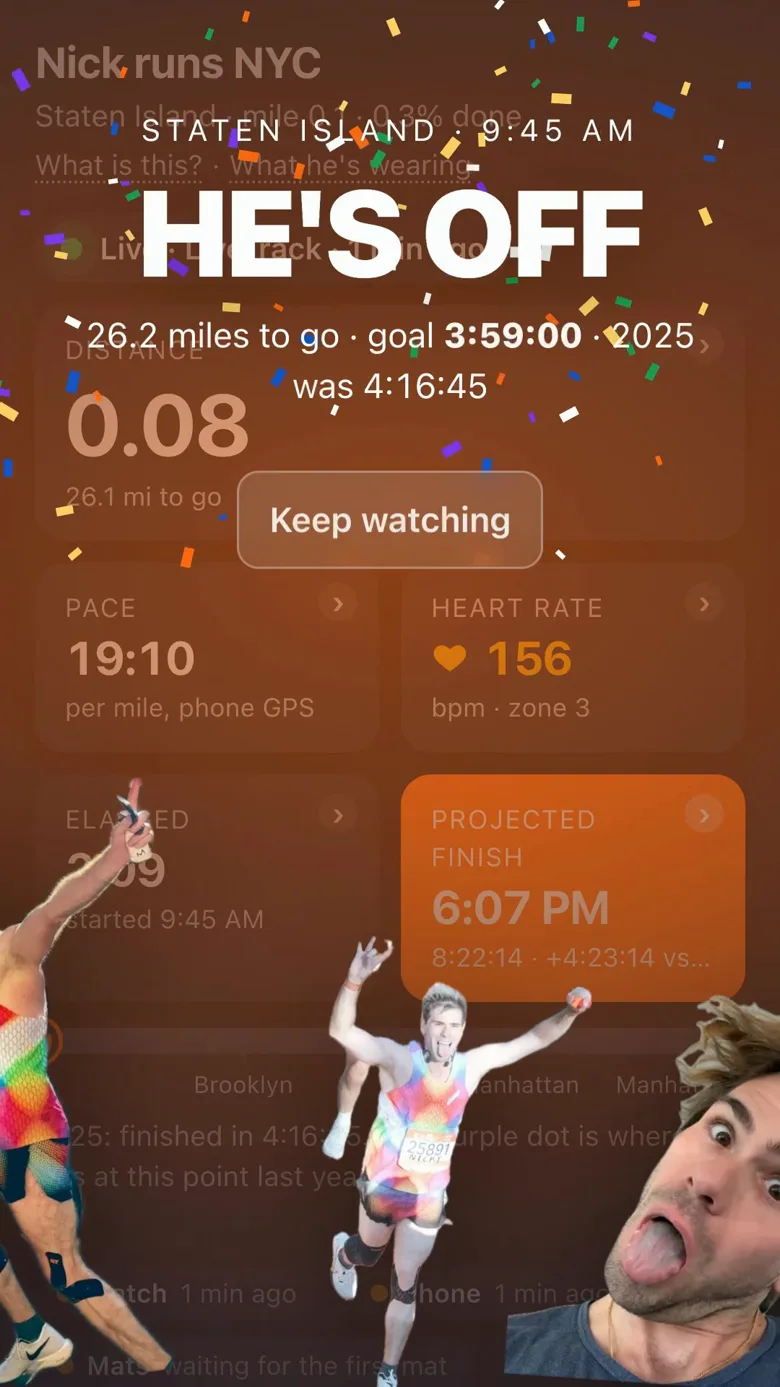
At the big moments the page takes the whole screen for everyone watching at that moment, never on page load, so opening it at mile 10 does not get you a stale "HE'S OFF"; the finish is the exception and greets every visit once the race is over. With "Don't interrupt me" on, or if you are pinned within a mile and a half ahead of him, every moment but the finish arrives as a slim banner at the top instead. "Keep watching" closes each one; cutouts of Nick (photos for that moment plus a silly face) bounce in along the bottom.
| Moment | When | On the screen |
|---|---|---|
| "IN THE START VILLAGE" | His phone reports from Fort Wadsworth | "Nick's phone is reporting from the village", the time to the wave, "goal 3:59:00" |
| "HEADING TO THE LINE" | A fix near the line inside 40 minutes of the wave | "Minutes away now. Tracking starts on its own the moment he crosses the start line." |
| "HE'S OFF" | The start, confetti | "26.2 miles to go · goal 3:59:00", last year's time |
| "SHOW HIM SOME LOVE" | Mile 4, Fourth Avenue, drifting hearts | "Settling in on Fourth Avenue, 22 miles to go. Cheers go straight to his watch, so now is a great time to send one." |
| "HALFWAY" | The Pulaski Bridge | "Pulaski Bridge · Queens" |
| "SHOW HIM SOME LOVE" | Mile 22, Fifth Avenue, hearts | "Fifth Avenue and the long climb to the park, the hardest stretch of the day. He will read every cheer on his watch." |
| "HE'S HURTING" | When his watch shows a fade or a walk (never right after a hug stop, at most three times a race), amber, hearts | "11% slower than his last 20 minutes, for 4 minutes now." (or "Walking, heart rate down.") "This is the part of the race where the cheers matter: send one and it lands straight on his watch." |
| "IT'S GONE QUIET" | When nobody has sent a cheer for 12 minutes, blue, hearts | "No cheers for 13 minutes, and nothing from Nick since mile 13.1 either. He can feel it. Pick it up: send one now and it lands straight on his watch." |
| "NICK ASKED FOR LOVE" | Whenever Nick presses the button on his phone (one press per ten minutes, five a race), hearts | "He pressed the button on his phone at mile 16.2 · +1:14 vs goal. Cheers go straight to his watch for the next 10 minutes, so send one now." |
| "FINAL STRETCH" | 1.5 miles to go, Central Park | "This is it. Down the East Drive, out along Central Park South and back in to the finish. Cheers go straight to his watch now, so send him one last push." |
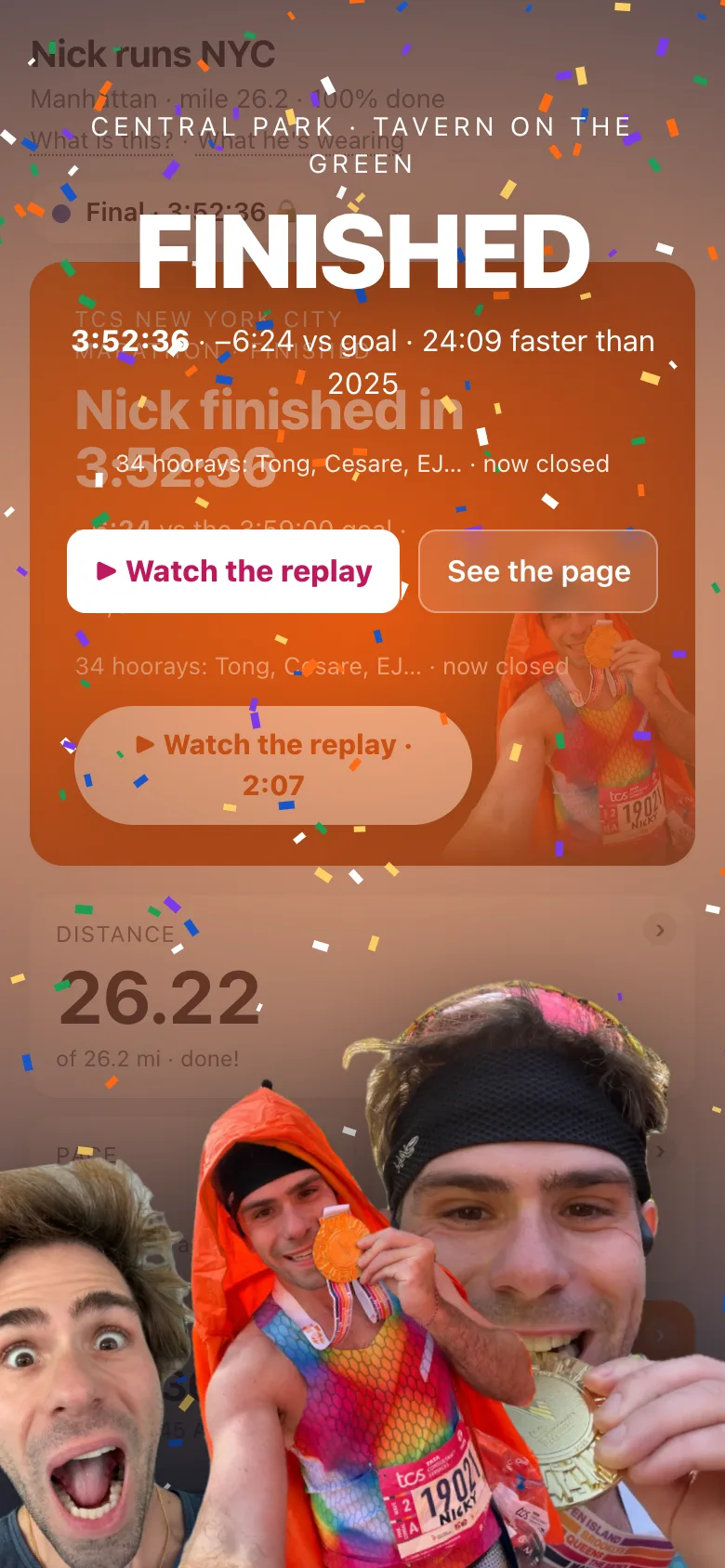
| "FINISHED" | Tavern on the Green | The time against the goal and 2025 ("unofficial, from his watch · waiting on NYRR results" until the result is in), the hooray form, "▶ Watch the replay" |
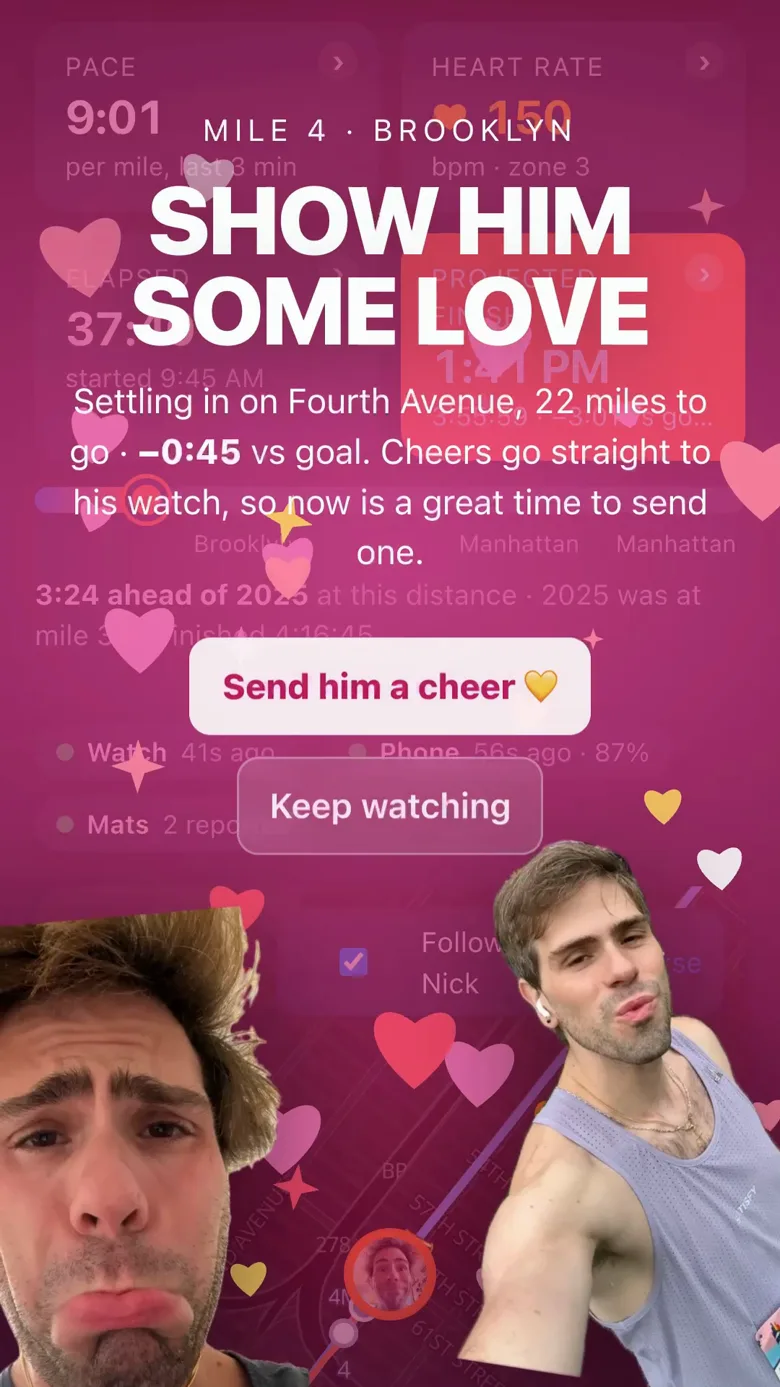
When you send a cheer the page says where it goes: before the gun it waits for the first bundle after the start, with your name up front; mid-race it reaches his watch within a few minutes, bundled with the others; in the final stretch, or while the page is asking for love, straight to his watch; after the finish, his phone. On his wrist the names come first, because he reads a name at a glance and a sentence at a walk.
The love moments and the final stretch carry "Send him a cheer 💛", which drops you into the cheer form. The final stretch is the loud one: fireworks, light beams, a chant line ("GO NICK GO!", "BRING IT HOME!", "EMPTY THE TANK!", "THE PARK IS ROARING!", "ONE MORE PUSH!", "FINISH LINE, HERE HE COMES!"), the miles to go counting down live, fresh running photos every 7 seconds, a buzz on Android, for 30 seconds.
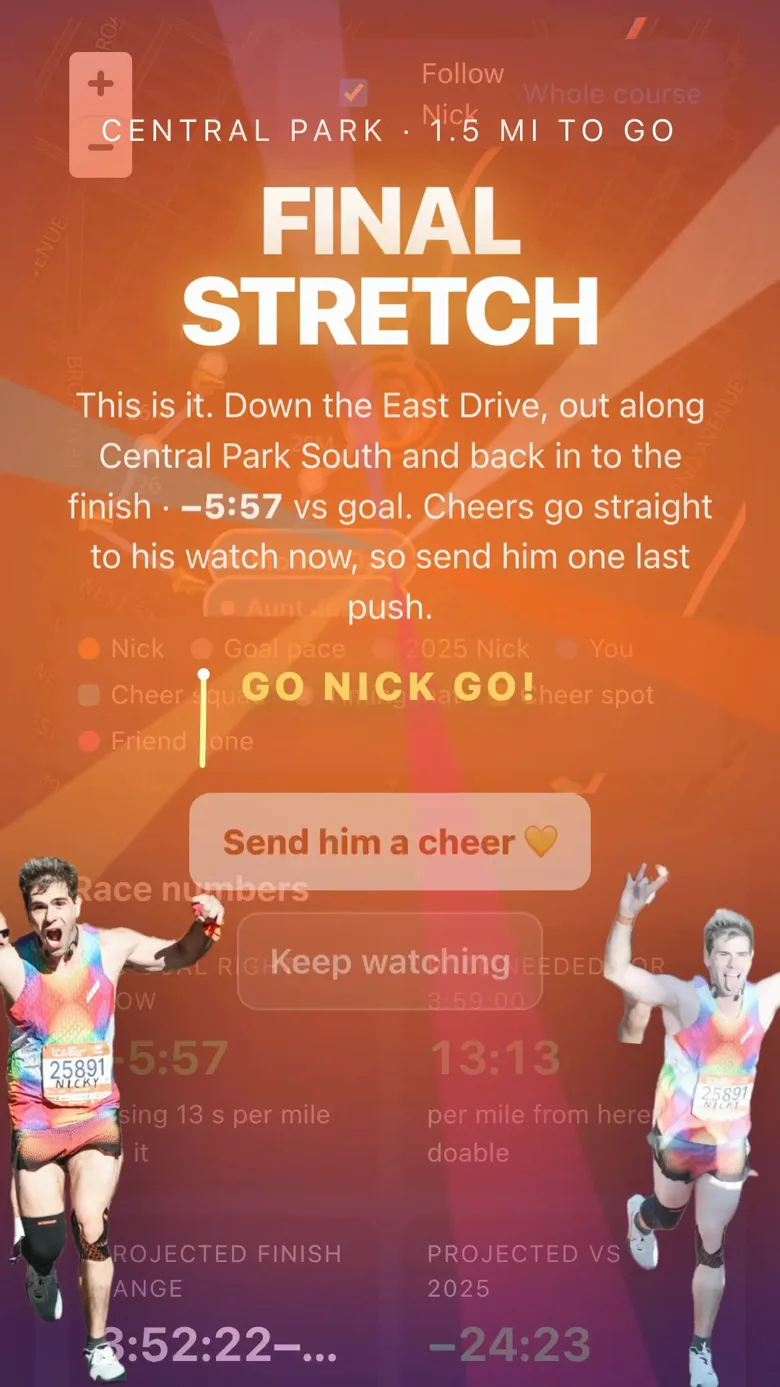
With Reduce Motion on (iOS: Settings → Accessibility → Motion) there is no confetti, hearts or fireworks anywhere on the page; the final stretch shows one still frame and says "The fireworks and light beams are off because this device has Reduce Motion on (an Accessibility setting)."
Sending a cheer
The "Send a cheer" card is halfway down. "Messages are bundled every few minutes and sent to Nick's watch."
- Type your name (remembered for next time).
- Type the message. The box says "Keep it short. He has to read it at mile 20." and stops at 120 characters.
- Tap "Send cheer 📣". The note says where it goes: "Sent! On his watch within a few minutes, bundled with the others, your name up front." during the race; "Sent! He gets it on his watch in the first bundle after the gun, your name up front." before the start; "Sent! Straight to his watch." in a fast window; "Sent! It goes to his phone." after the finish. The button then counts down "Send another in 12 s".
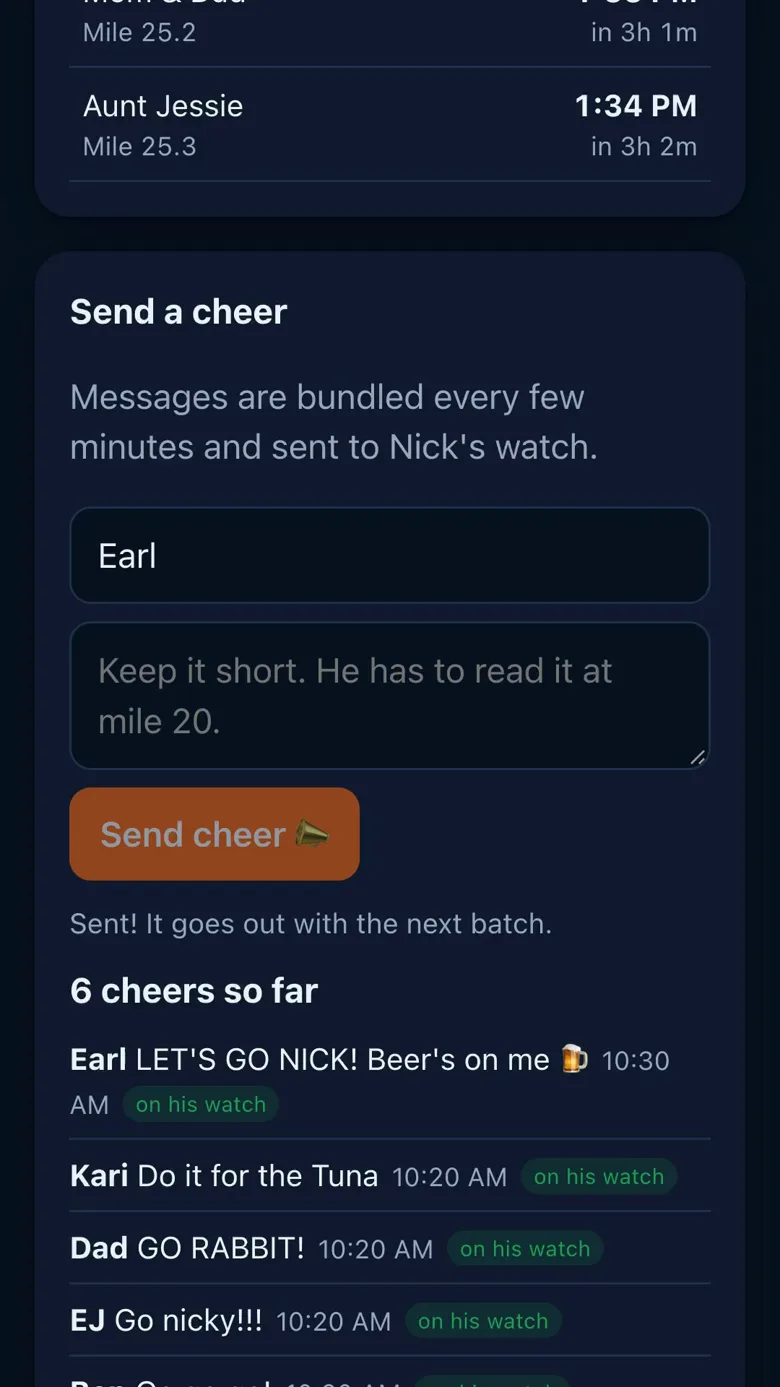
Your cheer appears in the feed for everyone with a badge: "queued" means the server has it and it waits for the next batch; "on his watch" means Garmin confirmed delivery. One cheer per 15 seconds under the same name from one connection, and sixty from one address in ten minutes.
- Before the gun: only a cheer from the last fifteen minutes goes to the watch at once (a friend in the corral). The week's cheers wait and arrive in the first bundle after the start as one roll call of names: "171 cheers before the gun 💛 Mom, Dad, Rei, Sam +56".
- Most of the race: cheers go to the watch every 3 minutes through Garmin's spectator messaging, everyone's words from those minutes as one message he reads on the watch face: the names first ("Ben, EJ, Dad +2"), then the words with first names.
- The fast windows: from the "FINAL STRETCH" takeover to the line, for ten minutes after "NICK ASKED FOR LOVE", and while "HE'S HURTING" or "IT'S GONE QUIET" is up, each cheer goes at once ("Sent! Straight to his watch."); a burst within 10 seconds still lands as one message, so the wrist is not buzzed five times in a row.
- Always: the cheer is also pushed to his phone ("Sent! It goes to his phone." after the finish).
There is no delete for a cheer; the feed is part of the race record. 171 cheers reached the page in 2026 (34 of them hoorays); they closed on 2026-11-02 at 10:29 AM ET.
When friends run the same race
When Nick runs a race with friends who have a page of their own, there are two kinds of page.
- A runner's page is about one person: their dot, their numbers, the big moments, cheers to them. It is the link to send to that person's family. Nick's is at
/nick/<race>/, a friend's at/<their name>/<race>/. - The race page shows everyone on one map, with a card for each runner: how far along, their pace, and when they should finish. Tap a card to open that runner's page. A runner's page has a link back, "Everyone in this race".
On the race page:
- The names at the top are switches. Tap one to hide that runner from the map and the cards; tap again to bring them back. Your phone remembers.
- A cheer goes to everyone who is switched on. The button says who: "Cheer everyone", or "Cheer Nick and Rei".
- A friend who puts themselves on the map is there for every runner in the race, and on the race page. Tap their pin on the race page to see when each runner will reach them.
- Options, beside the names, holds three choices: show spectators on the map, show a heart beside runners who share their heart rate, and whether miles or kilometres lead. Distance always shows both.
- Tap a tile on a runner's card to turn it over: distance becomes distance to go, pace becomes the average against the goal, and the finish becomes the expected time against the goal. Splits are folded away under each card.
- If you are on the map yourself, your pin is blue and a line under the map says when each runner reaches you.
- When someone starts or reaches halfway, a line appears above the map with their name. When someone finishes, their finish fills the screen once.
Small things that help on the day
- "Don't interrupt me", the switch beside the status pill. With it on, the big moments arrive as a slim banner at the top with a Cheer button instead of filling the screen, and new photos arrive as a note instead of a pop-up; the finish is the one exception and still fills the screen. If you have put yourself on the map within a mile and a half ahead of him, the page does this for you without asking: you need the dot and your countdown more than the fireworks.
- Quick cheers. Three tappable messages above the box, tuned to where he is ("Looking strong at mile 14", "Bring it home!"). A tap fills the message; one more tap sends it.
- "Send another in 12 s." After a cheer the button counts down the short pause between sends.
- The feed shows the latest five cheers. "See all 171" opens the full list, newest first, with the mile each one reached him at and your own cheers marked.
- Photos pop up at most once every five minutes; the rest arrive as a note and sit in the strip below. A photo Nick marks as must-see takes over every screen regardless, even with "Don't interrupt me" on.
- The dot turns hollow while the page is estimating between fixes, and fills again on fresh data.
- Share, in the header line, sends the page with a line about where he is right now ("Nick is at mile 8.0. Follow him live and send a cheer."; "Nick finished in 3:52:36. See how it went." after the race).
- The strip at the top appears once you scroll past the tiles: his mile, his pace and, if you are on the map, when he reaches you. Tap it to jump back up.
Hoorays after the finish
Once he has crossed the line, the "FINISHED" takeover and the hero card both carry "Send him a hooray! 🎉": one tap with a name, already filled in if you cheered. The button becomes "Hooray sent! 🎉" and the note counts them: "12 hoorays so far: Ann, Bob, Cat…". One hooray per person per race.
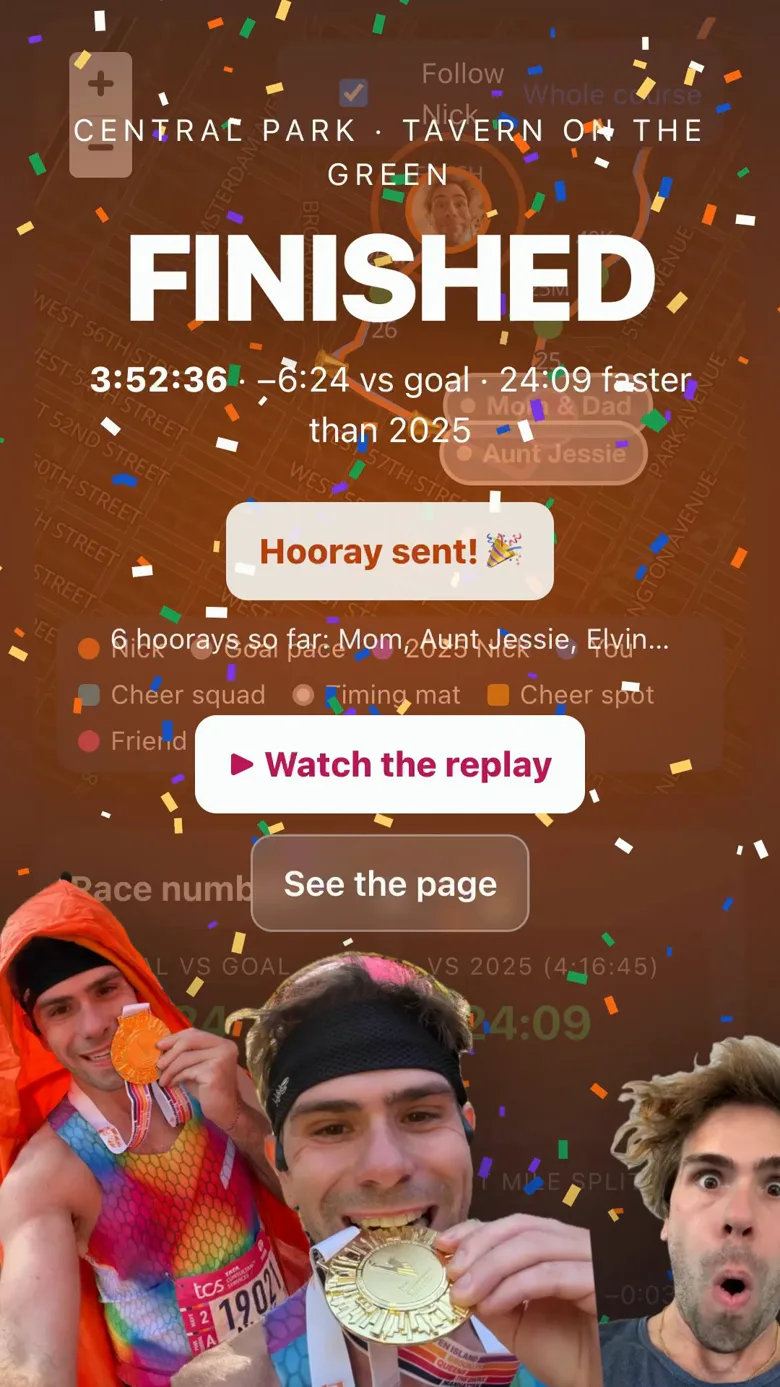
Hoorays reach Nick within a minute as one message on his phone and watch: "🎉 Hooray from Ann, Bob and 3 more". Once closed, the note says "Hoorays are closed."
"When will Nick reach me?" and "Put me on the map"
For anyone on or near the course, though it works from anywhere. The card walks you through three numbered steps; the one to do next is lit, the done ones are ticked, the ones to come are dimmed with a hint ("after step 1"). Your location stays in your browser.
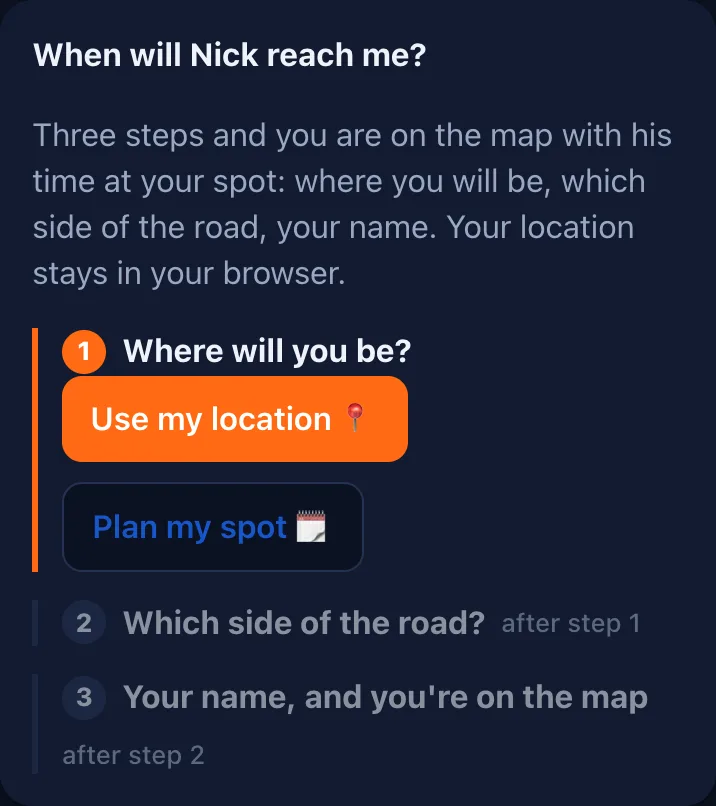
- Where will you be? On the day, "Use my location 📍" and allow the browser's request ("Asking your browser…"): the page snaps you to the nearest point of the course and says the mile and the place ("You're near mile 16.0, 1st Ave at 59th St") with Nick's time there; if you are well away from the course it says so. Before the day, "Plan my spot 🗓": give the mile or tap the map where you will stand, and roughly when; the line under the step then reads "You plan to stand near mile 16.0, 1st Ave at 59th St, around 10:30 · Change". No "I'm here" nag until race day: the button comes back then.
- Which side of the road? "◀ His left", "His right ▶" or "Not sure", as Nick sees it: face the way he runs (the note says the compass direction) and pick your left or your right. If your phone's GPS is good enough to tell, the page preselects a side and says so. "Not sure" is an answer too: you can pick a side on the day, and until then his watch will just say your name.
- Your name, and you're on the map. Type a name (24 characters at most) and tap "Put me on the map 📍". "Nick and everyone watching will see your name at your spot. You can remove it any time."
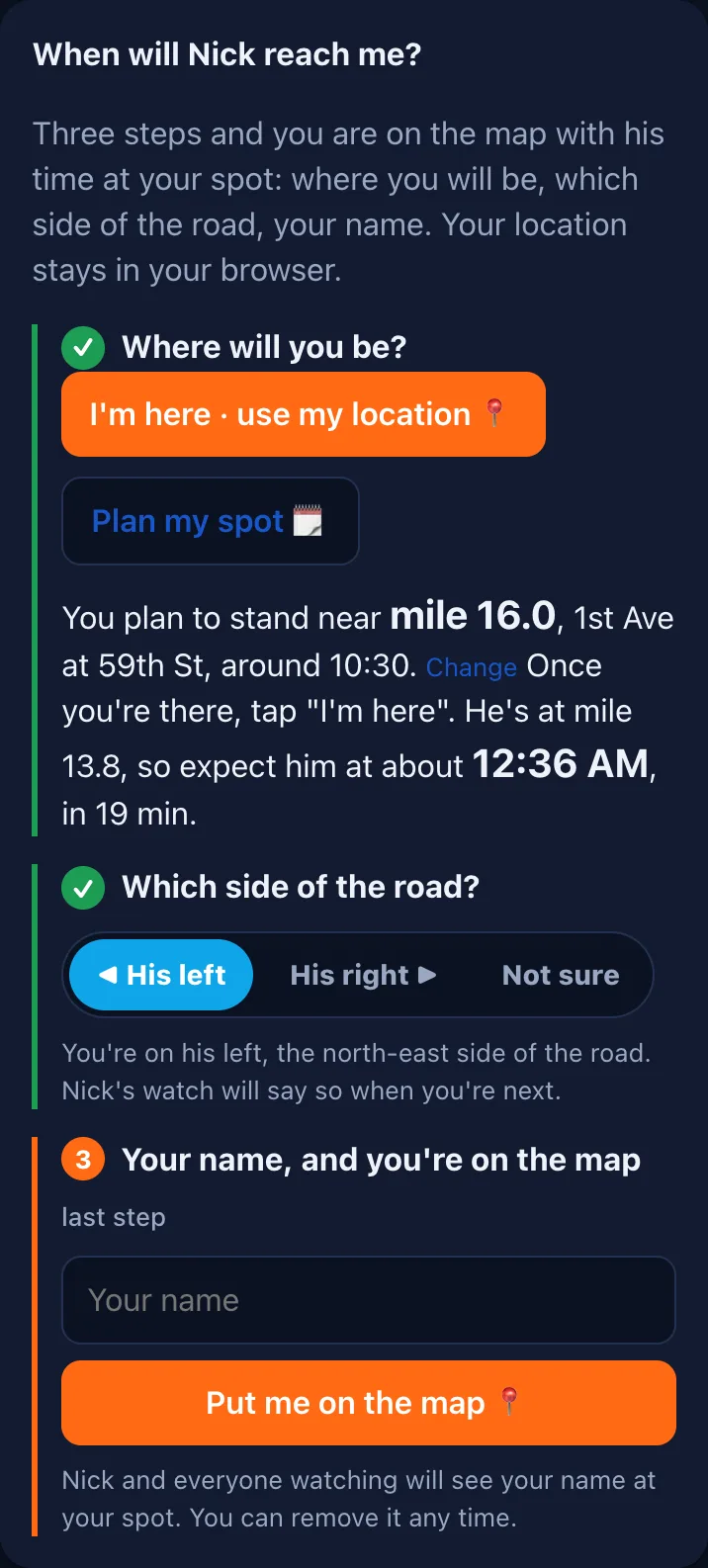
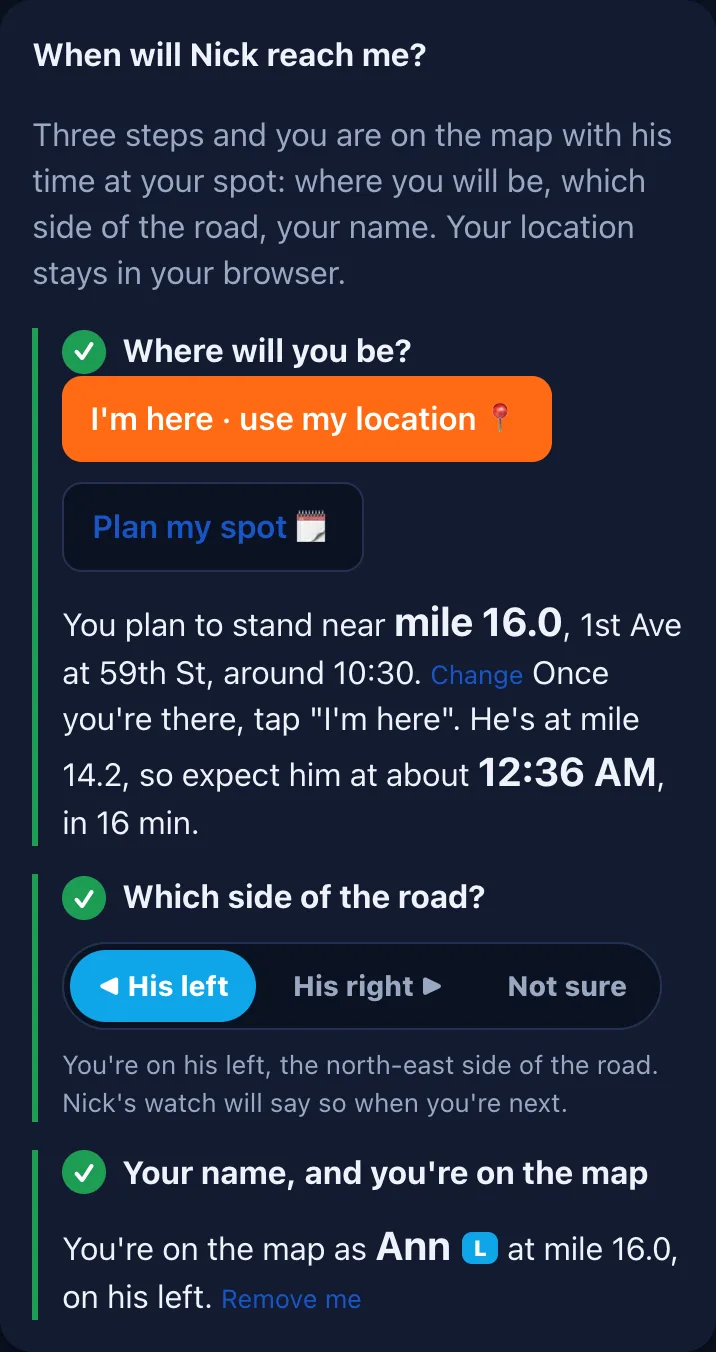
The card then says "You're on the map as Ann at mile 16.0, on his left" with "Remove me", and on the day the step-1 line offers "Update my location 📍" (or "I'm here · use my location 📍" for a planned spot). Your position goes rounded to about 10 m and the pin expires after 8 hours. Everyone sees a blue pin with your name and your side letter, sitting on your side of the road; a planned pin is dashed until you confirm you are there.
When he is close. From half a mile out the card switches to friend mode: the page refreshes every 3 s, and the line reads "He's at mile 7.52, seen 13 s ago by his watch. Expect him in 4:21 (3:55 to 4:48), on his left." The countdown ticks every second; the bracket is the honest window (the data is a few seconds old and the dot can be a few metres off). A soft band under his dot on the map shows the same stretch. At about 0.1 mi the page buzzes and says "👀 He is about 0.1 mi away. Look up!" From a mile and a half out the page also stops filling your screen with the big moments: a banner instead, so the countdown stays in view.
If the location request fails the note says why: "Location permission was declined. You can allow it in your browser settings." or "Could not get your location. Try again outside."
After the race: the replay and the share page
Once the race is over the page looks back instead of ahead. "Where to cheer" becomes "Where he passed", with about when he went by each spot. The map shows the whole course. A closed race drops the "Don't interrupt me" switch and the photo pop-up, "What is this?" says what the page shows now, and a link sent to a friend previews as "Nick ran the 2026 TCS New York City Marathon in 3:52:36" with the medal photo. The FINISHED screen with confetti still greets every visit.
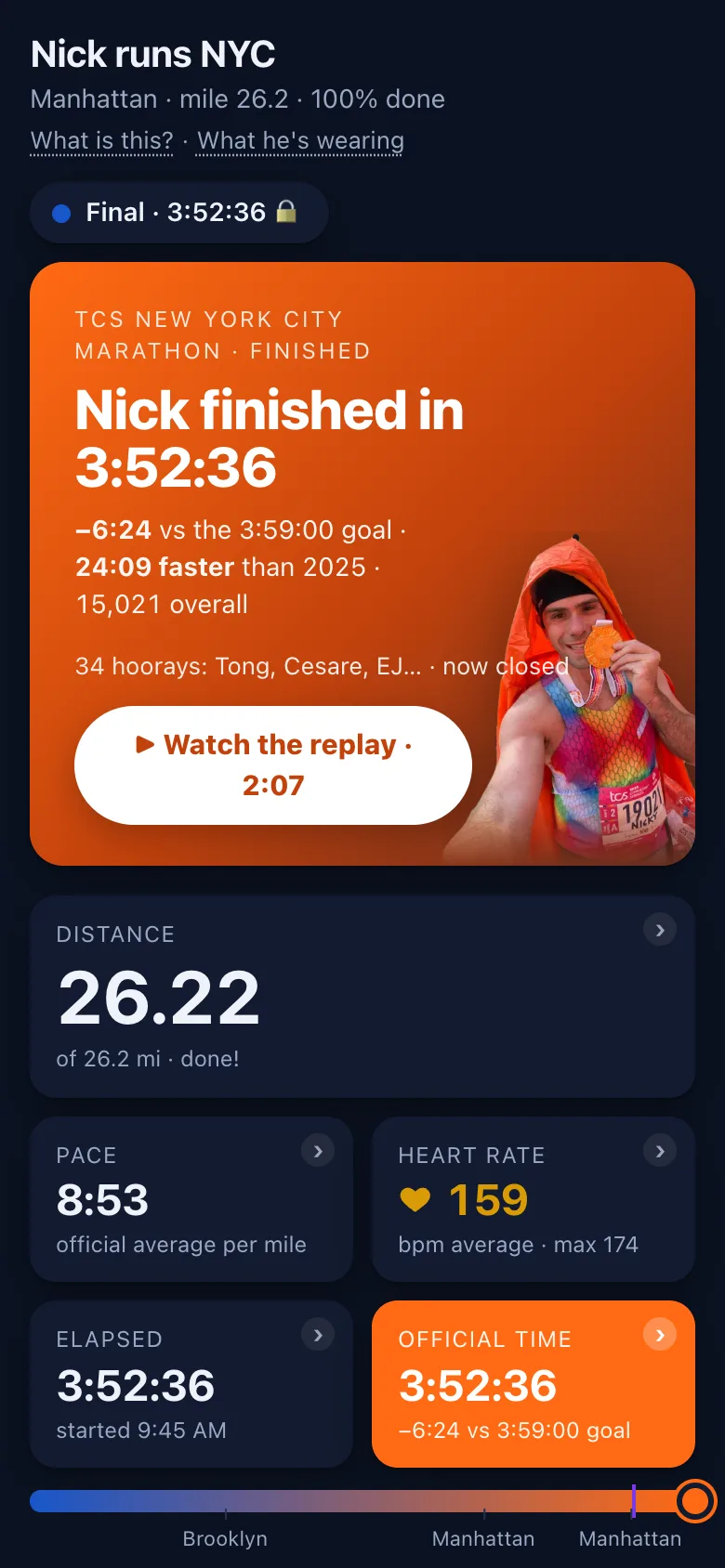
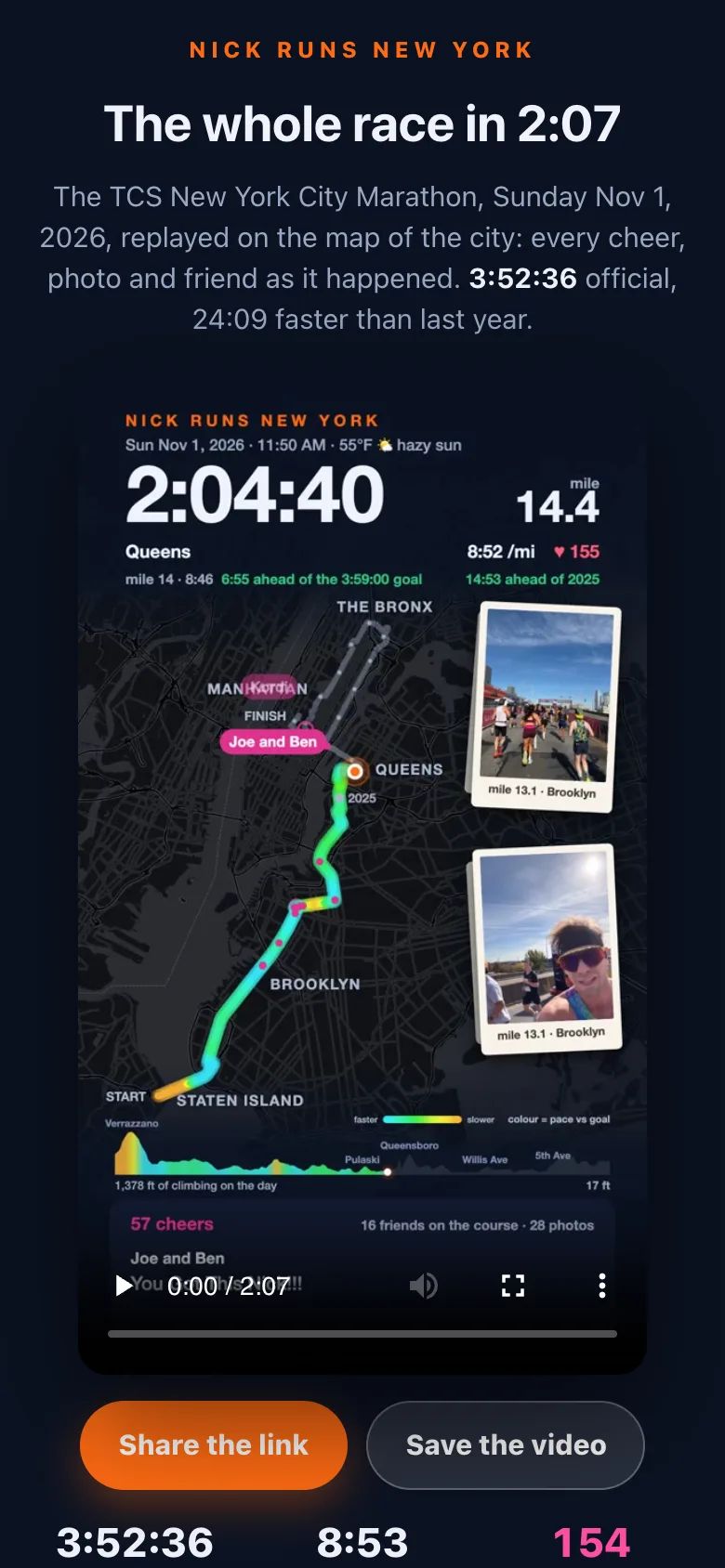
When the race is over the hero card shows the final time against the goal and 2025 with the medal photo, and "▶ Watch the replay" plays a 2:07 vertical video of the whole race: every cheer, photo and friend on the city map, cut from the recording of the day. It has its own page at https://run.nickytalky.com/nycm2026/replay ("The whole race in 2:07") with "Share the link" and "Save the video"; the link shows a preview card in iMessage.
The page stays up at /nycm2026/, sealed: everything from the day stays, nothing can be added. The line above the finish card's title carries the "🏅 OFFICIAL" pill, the sources read "ended", the page polls once a minute, and the sources line in the footer says "official".

The gear and merch pages
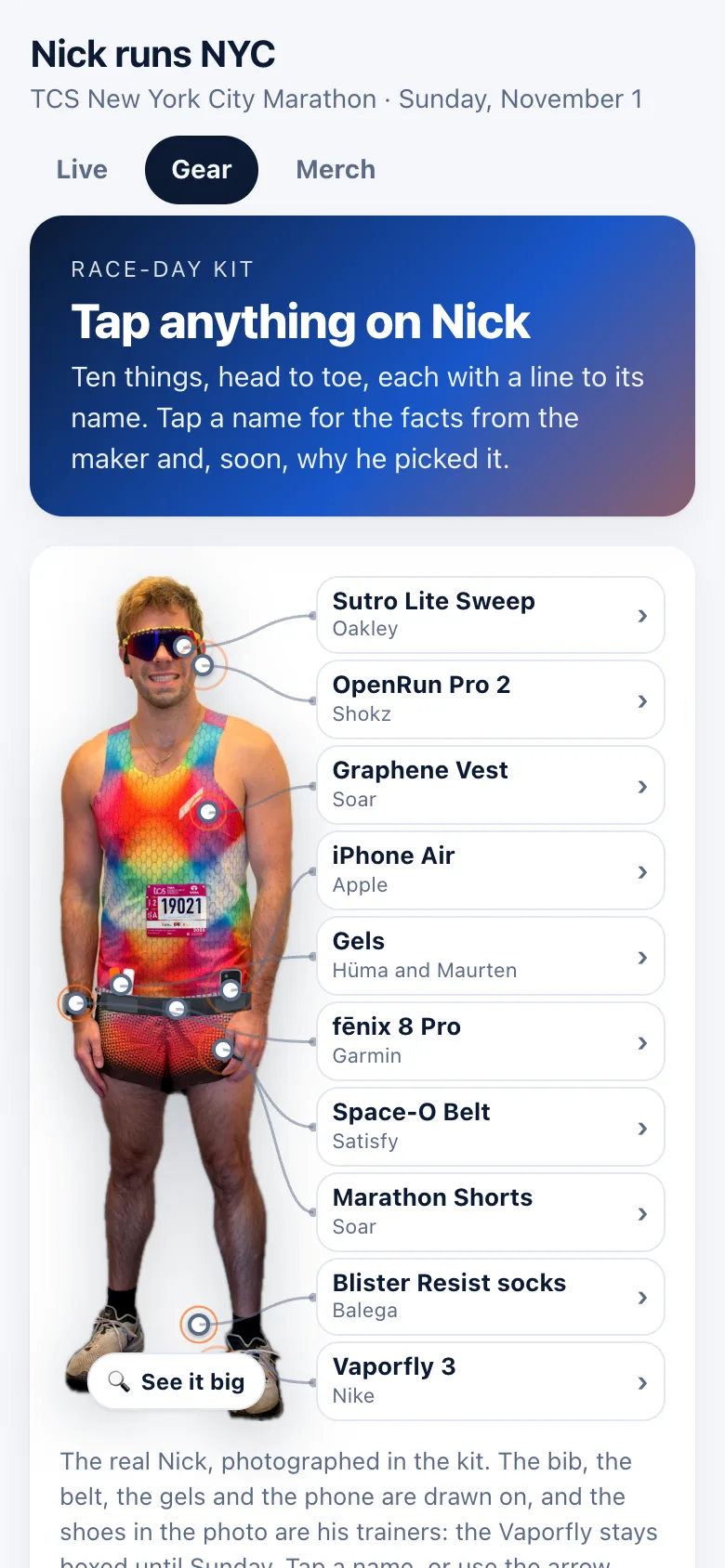
"What he's wearing" under the title (or the floating Nick on the splash) opens /nycm2026/gear/: "What Nick's wearing", "The kit, piece by piece". "Tap anything on Nick" and the piece lights up with what it is.
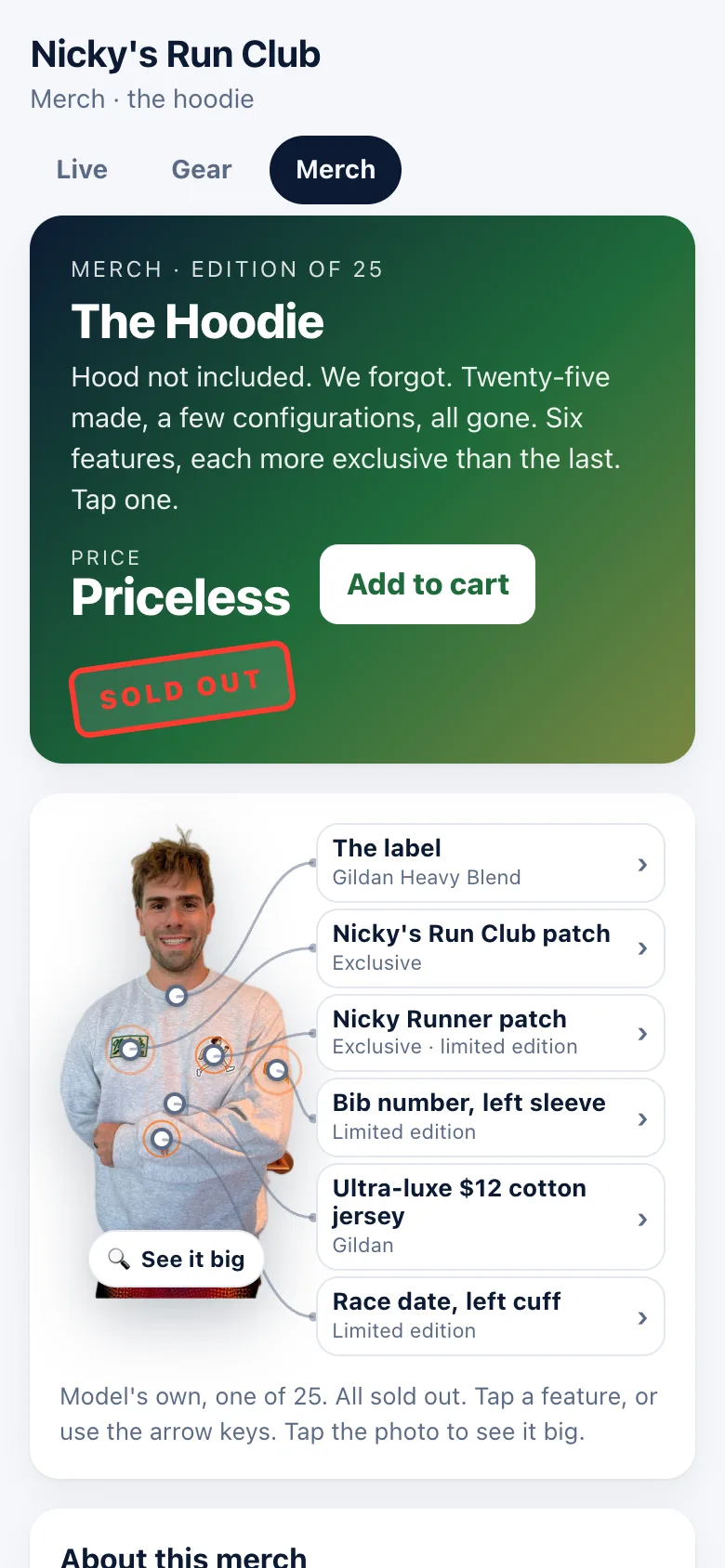
The merch page at /merch/ is "Nicky's Run Club", starting with "The Hoodie". It is Nick's, not the race's, so it is the same for every event.
Data and privacy
- Public: whatever you put on the page is there for everyone: the name and words of a cheer, the name and spot of a pin, the name on a hooray.
- No accounts. The page keeps your cheer name and a random id in your own browser.
- Location: "Use my location" stays in your browser. Only "Put me on the map" sends it, rounded to about 10 m, for 8 hours or until "Remove me"; a spot planned with "Plan my spot" is a point you chose, not a fix, and lives three days.
- No IP addresses kept. The viewer counts Nick sees come from a random id per browser; rate limits use the address for the moment and store nothing.
Troubleshooting for followers
| What you see | What it means |
|---|---|
| The pill is amber, "estimating" | Every source has gone quiet, usually his phone in a dead zone. The dot slides on at his last pace and the next mat corrects it. Nothing to do. |
| The dot is not moving | He is stopped (the watch says so and the dot holds), or the page is estimating and the dot is waiting at a mat that has not reported. Check the pill. |
| The map is blank or grey | The browser could not start the WebGL map. Add ?leaflet=1 to the address for the plain-tiles map (?diag=1 shows a diagnostics box). |
| My cheer stays "queued" | Batches go every 3 minutes and "on his watch" appears once Garmin confirms. If the watch session is down it stays queued but still reaches his phone. |
| No "HE'S OFF" screen | Takeovers only show to people watching at that moment, never on page load. With Reduce Motion on you get the words without the confetti. |
| The big moments arrive as a thin banner | "Don't interrupt me" is on (the switch beside the status pill), or you are pinned within a mile and a half ahead of him. The finish still fills the screen. |
| A banner says "Viewing a past run" | You tapped one of his past runs on /run/: the whole page shows that run. "Back to live" returns to now. |
| It is slow on the course | The network is congested. Polls give up after 15 seconds and try again; a cheer or pin after 20, and a retry cannot be delivered twice. |
Following a run between races
Between runs the page says "No run right now", and a cheer sent then waits and reaches his watch when he starts the next one. Looking at a past run shows that run alone: no pin card and nothing to follow.
Between races Nick's runs show up at run.nickytalky.com/run/ (the page's title reads "Nick's runs"). It is the same page with the race parts taken away: no course line, no timing mats, no ETAs, no cheer zones and no goal, because a run goes wherever he takes it. What you get is the dot at his live position with the trail behind it, "Distance (mi)" so far ("miles so far, from his watch"), his pace (the last mile, with the trend badge), his heart rate, the time, and "Average pace (min/mi)" in the orange tile ("shows once the run is a few minutes old"). The map button says "Whole run" and fits the trail. Cheers work exactly as on race day and land on his watch within a few minutes; the card is called "Put yourself on the map" here, and your pin tells you how far away he is as the crow flies ("You're on the map. Nick is 2.3 mi from you as the crow flies."). The status pill says "No run right now" between runs.
His watch's own numbers. "Run numbers" shows "Climb" with the descent ("by the watch"), "Cadence" (steps per minute), the "Fastest mile" and "Slowest mile", "Power" and "Heart rate", with "Pace by mile" filling in against the run's average as each mile is run; "Elevation" draws the run's own profile with the dot, growing as he goes, and the Distance tile paints the same profile behind its number. A "Mile splits" table ("From his watch, one per mile: the time at each, and that mile's pace against the run's average.") grows a row per mile. None of this carries the official mark: a run has no organiser, so the page never calls it official.
Past runs. Under the cheers, "Past runs" lists his last ten ("Tap one to see it on the page: its trail, its splits, its cheers and photos."). Tap one and the whole page shows that run: a banner says "Viewing a past run: Sunday long run, Sat, Nov 8, 2:43 PM to 3:41 PM, 7.11 mi in 57:45." with "Back to live", and the tiles, the map with its trail, the numbers, the elevation, the cheers and the photos are that run's until you go back; the address bar carries the run, so the link can be shared. No cheer form, no hoorays and no photo pop-ups while a past run is on view; the live run keeps arriving underneath and its big moments still fire.
The moments. "HE'S OFF" ("Out for a run. Follow the dot; cheers go straight to his watch, so send one whenever you like.") and "DONE" ("7.11 mi in 57:45 · 8:07 per mile") are the only big moments; after "DONE" the hero reads "Nick ran 7.11 mi in 57:45" and you can send him a hooray. With no run on, the page says so and lights up the moment he starts one from his phone, or his watch does: his first real run on 2026-11-08 was started by the watch and ended by it saving the activity. A run that has ended stays on the page until Nick files it or starts the next one.
Every race and run: the All runs page
"All runs" in any page's header opens run.nickytalky.com/runs ("Nick's runs · Every race and run the page has kept"). On top sits what is on right now, checked every half minute: a race under way as a loud orange card ("Live now · race day", the race's name, "Brooklyn · 8.0 mi of 26.2 mi · 31% done", "Watch live ›"); a race within six hours of its wave as "Race day" ("The wave goes around 9:45 AM; the page lights up at the line.", "Go to the page ›"); a run under way as a quiet card ("Out for a run now", its name, "3.2 mi so far · 8:10/mi", "Follow live ›"). Then Races, a card for each: the course drawn as a line on top, a pill that says where the race stands (a green "✓ Completed", an orange "Upcoming", "Live now" on the day) beside its date, the race's name, and the one number that matters. A race in a city with a landmark has it drawn faintly in the corner of its card: the Statue of Liberty for New York, the Eiffel Tower for Paris. A finished race shows its time large ("3:52:36", "🏅 Official time · 15,021 overall · 26.2 mi" once the organiser has published, "by the watch · unofficial" before) and "See the race ›"; a race to come counts the days ("144 days to go", "The page comes alive on race morning"); a race under way shows the distance so far. The next race leads, then the finished ones, newest first. Below, Runs: three totals (runs kept, miles in all, the longest), then the newest five, each with a small drawing of its route, its name or day, pace, climb, cheers and photos, and its distance and time. "Show all 12 runs" opens the rest; tapping a run opens it on the live page as a past run on view. A run that has just finished sits first, marked "Just finished · on the live page", until it files itself an hour after the finish. On Nick's own phone a Manage button gives each run "Rename" and "Remove" (for good, after a question), and "File it now" on the run just finished.
Part 2: Friends on the course
Plan your spot before the day. On the "When will Nick reach me?" card, "Plan my spot 🗓" takes the mile you mean to stand at, or a tap on the map, and roughly when ("around 10:30"). Pick his left or his right, give your name, and "Put me on the map" puts a dashed pin there for everyone, marked planned; Nick sees it on his page and can turn it into a named cheer zone. On race day, once you are standing there, tap "I'm here · use my location" and the pin turns solid. A plan lasts three days; a live pin eight hours.
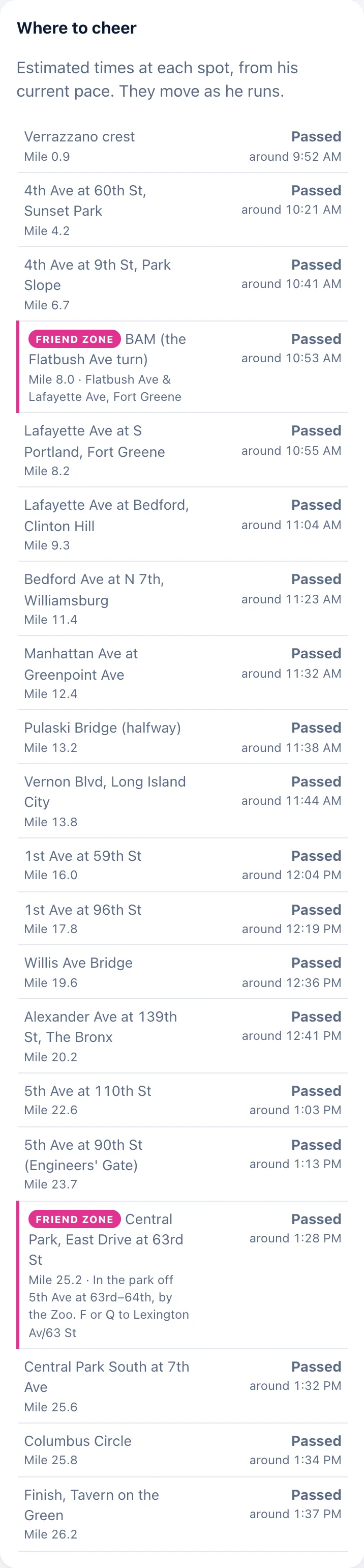
- Pick a spot. The friend zones are where the crew gathers: "BAM (the Flatbush Ave turn)" at mile 8.0, "Flatbush Ave & Lafayette Ave, Fort Greene", and "Central Park, East Drive at 63rd St" at mile 25.2, "In the park off 5th Ave at 63rd–64th, by the Zoo. F or Q to Lexington Av/63 St". They are pink on the map and in "Where to cheer". Any other spot in the list works too: "Estimated times at each spot, from his current pace. They move as he runs." Nick and his crew can add a zone from his phone, even on the day, so look at the list again on the morning.
- Pin yourself. "When will Nick reach me?" → "Use my location 📍" → "◀ His left" or "His right ▶" → your name → "Put me on the map 📍". Nick's watch and phone tell him you are ahead 0.5 miles before he reaches you, and which side ("Ann ahead in 0.5 mi · LEFT · mile 7.5 · 4th Ave at 2nd St"); his own page shows a big L or R in front of your name. If you move, "Update my location 📍" (or "Remove me" and pin again). Thirty new pins from one address in ten minutes is the limit, so a group on one carrier address pinning together is fine.
- Read the ETA. Your line in "Cheer squad on the course" shows the clock time he should pass you. It moves as he runs; give it a few minutes either way and watch the dot. From half a mile out the card switches to a countdown with a window ("Expect him in 4:21 (3:55 to 4:48), on his left"), the page refreshes every 3 seconds, a band under his dot shows the stretch of road he could be on, and at about 0.1 mi the page buzzes: "Look up!"
- Time the cheer. Any cheer reaches the watch within about 3 minutes. When the page says "FINAL STRETCH", send it then: in the last 1.5 miles it goes straight to the watch and lands before the line. The same is true for ten minutes after "NICK ASKED FOR LOVE" and while "HE'S HURTING" or "IT'S GONE QUIET" is up.
- The photo moment. When the dot is a block away, sign up, phone out. A photo Nick takes of you pops up on every follower's screen within seconds. The page already keeps the fireworks away from you while he is within a mile and a half: the moments arrive as a banner, so your countdown stays in view.
- Afterwards, one tap on "Send him a hooray! 🎉".
FAQ
Is this the official tracker?
No. This page uses the official timing mats as one source alongside Nick's watch and phone, and only calls official numbers official: a small green "🏅 OFFICIAL" pill marks a number that came from a mat or the organiser's result, and nothing from the watch ever gets one. The finish time on the page is NYRR's.
Why does it say "estimating"?
Every source has gone quiet, usually his phone in a dead zone. The dot slides on at his last pace, holds when the watch says he stopped, and never runs more than half a mile past a mat that has not reported.
Why did the splits table stay empty for hours in 2026?
NYRR's results API published nothing during the race; the mats arrived with the official result about 9:30 PM. NYRR's own live tracker is now a second feed, so next time they should land within about ten seconds.
Will Nick see my cheer? When exactly?
Yes. Cheers reach his watch as one message every 3 minutes, the names first and the words after, and his phone too; in the final 1.5 miles, for ten minutes after he presses the love button, and while the page says he is hurting or the crowd has gone quiet, each one goes straight to the watch within seconds. Before the gun your cheer waits and arrives in the first bundle after the start as part of one roll call of names. The badge flips from "queued" to "on his watch" when Garmin confirms it, and the note under the button says where yours went.
Can I delete a cheer?
No. The feed is part of the race record. If one really has to go, ask Nick.
Does the page track me?
No. It keeps your cheer name and a random id in your own browser. Your location is read only when you tap "Use my location 📍" and sent only with "Put me on the map 📍", rounded to about 10 m, for 8 hours (a spot you planned with "Plan my spot" is a point you chose and lives three days). No IP addresses are kept.
Why did I not see the "HE'S OFF" screen?
Takeovers only show to people watching at that moment, never on page load; the finish is the exception. With Reduce Motion on you get the words without the confetti. With "Don't interrupt me" on, or if you are pinned within a mile and a half ahead of him, the moments come as a slim banner at the top instead.
Which side of the road does he mean?
His: face the way he runs and pick your left or your right. The page says the compass direction he runs there, and preselects a side when your phone's GPS is good enough to tell. The letter rides on your pin, in the squad list and on his watch alert in capitals ("LEFT"), and his own page shows it big in front of your name.
What does "planned" on a pin mean?
A friend chose that spot before the day with "Plan my spot" (a mile or a tap on the map, and roughly when). The pin is dashed until they tap "I'm here · use my location" on the day; Nick's watch says "(planned)" in the alert, and he can turn the spot into a named cheer zone.
Why is the dot hollow?
The page is estimating between fixes: no fresh point from the watch or the phone in the last moments, so the dot is sliding on at his last pace. It fills in again on fresh data.
Can I follow his training runs?
Yes. run.nickytalky.com/run/ is the same page with the race parts taken away, live whenever he is out (his watch can start it on its own); cheers land on his watch exactly as on race day. run.nickytalky.com/runs lists every race and run the page has kept; tap a past run and the page shows it, trail, splits, climb, cheers and photos, until "Back to live".
Why does the heart-rate tile change colour?
It is coloured by zone, blue to red for zones 1 to 5 (Nick's limits: 118, 147, 162 and 177 bpm), and pops when he climbs into zone 4 or 5. He averaged 159 bpm with a max of 174 in 2026.
What is the purple dot?
"2025 Nick": where he was at the same elapsed time in the 2025 race (4:16:45). It gives the ahead-or-behind readout and the "vs 2025" column.
Can I watch the whole race again?
Yes. "▶ Watch the replay" on the finished page, or run.nickytalky.com/nycm2026/replay: 2:07 of the whole race with every cheer, photo and friend on the map.
Does it work on Android and on a desktop?
Yes, any modern browser; phones are the first target. The buzzes (the final stretch, "Look up!" when he is 0.1 mi from your pin) are Android only.
What happens if his phone dies?
The timing mats do not depend on it, so the splits keep coming and the dot is corrected at every mat. The watch feed and the phone GPS both need the phone, so pace and heart rate pause until it is back.
Why is the map sometimes behind?
Watch points take 15 to 20 seconds to reach the page and queue up in a dead zone, and the page polls every 10 seconds. Near a pinned friend everything speeds up: the server reads the watch every 10 seconds instead of 20, asks his phone for a fix every 10 seconds instead of 30, and your page polls every 3 seconds within half a mile of your pin.
How much data does it use?
About 1 MB an hour, plus about 2 MB on the first visit. The map sits at zoom 13 to keep tiles small.
What is the simulation?
A hosted copy at nick-runs-nyc-sim.fly.dev running a made-up race in fast-forward, with controls for pace, speed, failure scenarios, dead zones and jumps to each big moment, and a "Test it from the couch 🛋️" box that pretends you are standing on the course and sends him your way. Anyone with the link can drive it. The same app replays the real 2026 race on the real streets at /nycm2026-rehearsal/ for friends testing on the course.
What is a passkey and why?
It signs Nick's own pages in with Face ID or Touch ID instead of a key in the address, and the key keeps working as the way back in. The public page needs no sign-in at all. A crew passkey, made from an invite link, signs a partner in with just three powers: the love button, photos and the cheer zones.
Can this run another race?
Yes. Each race is a folder, the root redirects to the current one and past races stay up sealed. Paris 2027 (Sunday 2027-04-04) is next, then NYC 2027.
What did Nick run?
3:52:36 official, 8:53 per mile, 15,021st of 61,062 finishers, halves of 1:52:52 and 1:59:44. The goal was 3:59:00, a first sub-four: 6:24 under it and 24:09 faster than 2025.
Is it free? Is it open source?
The page is free to use. The code is a private repository on GitHub (nyeager/nick-runs-nyc, as of 2026-11-02); making it public is Nick's call.